


How to add a guest manually
آخر تحديث دقيقة قراءة واحدة
هذه الصفحة غير متوفرة بلغتك بعد، لذا تُعرض باللغة English (India).
في هذه الصفحة/ Add a guest
In short: You don't have to wait for people to register online. You can add guests yourself from a ticket type's Guests tab — useful for VIPs, partners, or people who signed up offline.
Add a guest
Open the ticket type
Go to Registrations → Categories, find the ticket type you want to add the guest under, and click Manage.
Go to the Guests tab
Open the Guests tab, then click Add Guests.
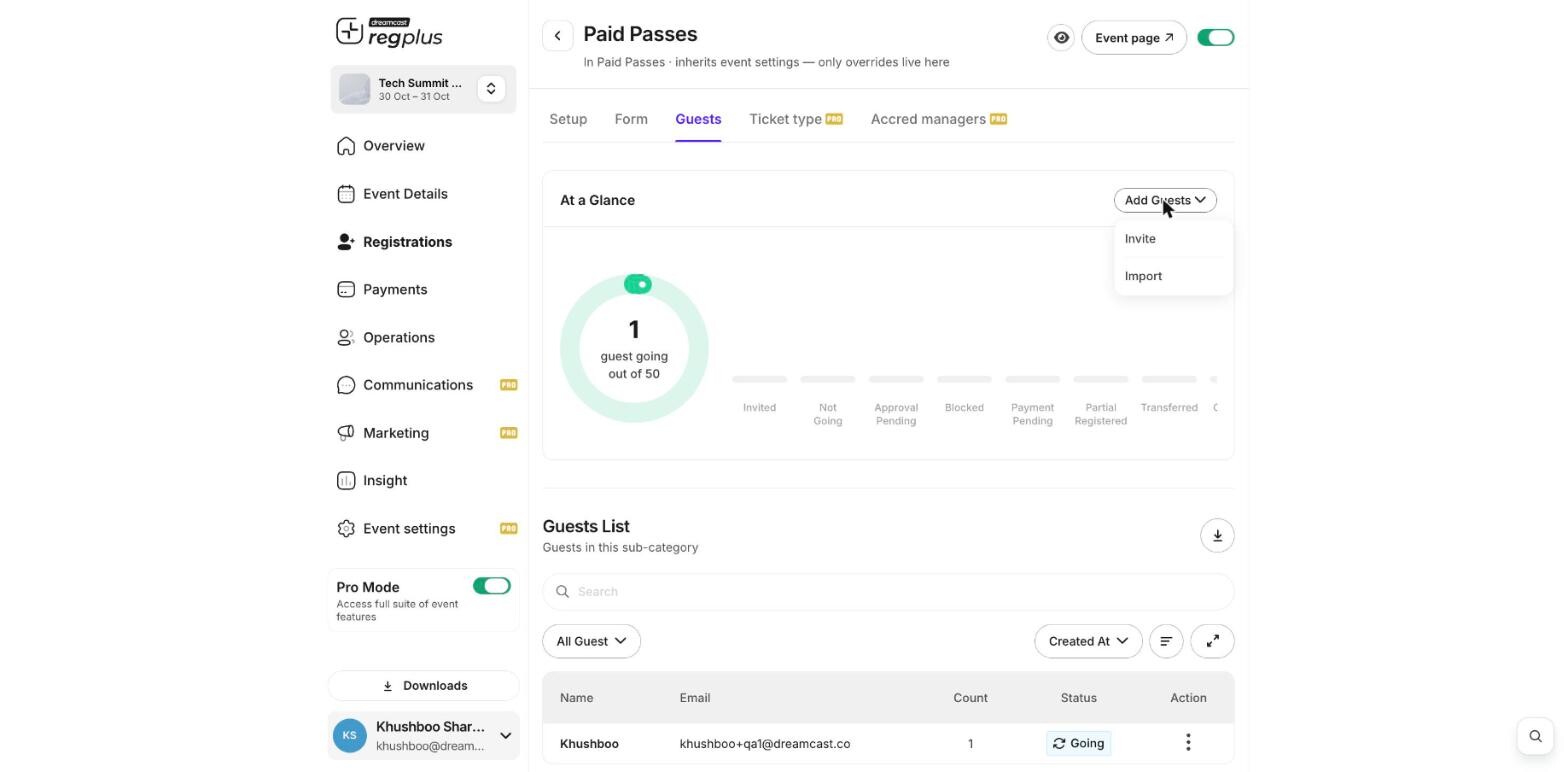
Invite or import
Choose Invite to add one guest by entering their details, or Import to upload a file and add many guests at once.

What's next?
هل كانت هذه الصفحة مفيدة؟