


How to set up your own Stripe account
هذه الصفحة غير متوفرة بلغتك بعد، لذا تُعرض باللغة English (India).
في هذه الصفحة/ What you'll need
In short: Connect your own Stripe account so card payments settle directly to you. Stripe is a good choice when you sell to an international audience.
What you'll need
- A Stripe account activated for payments.
- Access to Payments → Configurations in your regplus event.
- Your Stripe dashboard open in another tab.
Step 1 — Open the Stripe connection form
Go to Payments
Open Payments → Configurations in your event.
Add Stripe
Under Other gateways, click Add Other and choose Stripe.
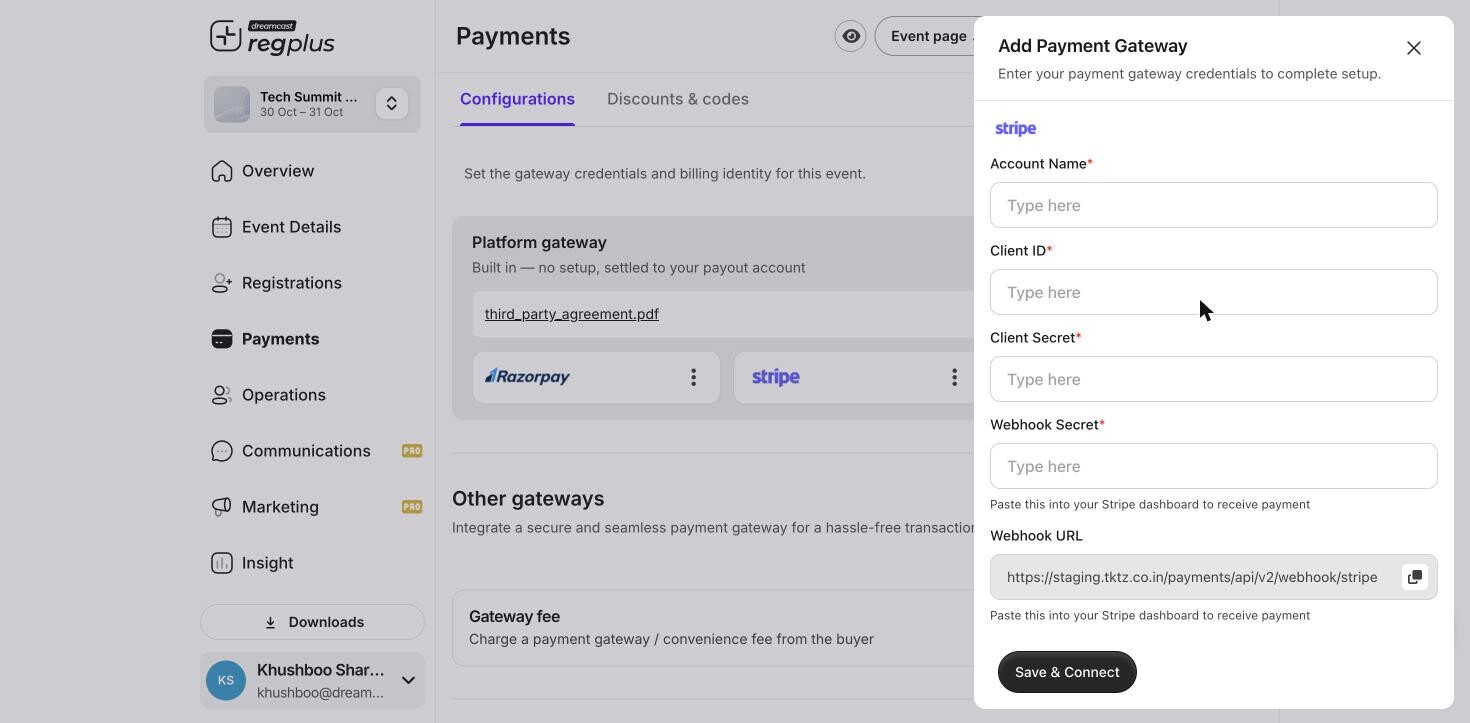

Step 2 — Get your keys and webhook from Stripe
Open your API keys
In the Stripe Dashboard, go to Developers → API Keys. You'll use your publishable key and your secret key.
Add a webhook
Go to Developers → Webhooks, click Add Destination, paste the Webhook URL from the regplus form, and select the payment events. Stripe gives you a signing secret for the destination — copy it.
Step 3 — Finish the connection in regplus
Fill each field, then click Save & Connect.
| regplus field | What to enter |
|---|---|
| Account Name | A name to recognise this connection (e.g. Stripe — main) |
| Client ID | Your Stripe publishable key |
| Client Secret | Your Stripe secret key |
| Webhook Secret | The webhook signing secret from Stripe |
| Webhook URL | (read-only — paste it into Stripe in Step 2) |
| Payment accepted | Tick Domestic, International or both |
Test before you go live
Make a test booking and confirm it shows as paid in Insight → Financial. If it's charged but not confirmed, re-check the webhook destination URL and signing secret in Stripe.
FAQ
Which should I use — Stripe or Razorpay?
Razorpay suits Indian domestic payments (UPI, net banking, local cards); Stripe suits international cards. Pick the one that matches where most of your guests pay from.
A payment was charged but the booking didn't confirm
The webhook didn't reach regplus. In Stripe, check the destination URL matches the regplus Webhook URL and that the signing secret is the same on both sides.