


How to set up your own PayPal account
هذه الصفحة غير متوفرة بلغتك بعد، لذا تُعرض باللغة English (India).
في هذه الصفحة/ What you'll need
In short: Connect your own PayPal account so payments settle to you. Useful when your guests prefer paying with PayPal.
What you'll need
- A PayPal Business account.
- Access to Payments → Configurations in your regplus event.
- The PayPal Developer Dashboard open in another tab.
Step 1 — Open the PayPal connection form
Go to Payments
Open Payments → Configurations in your event.
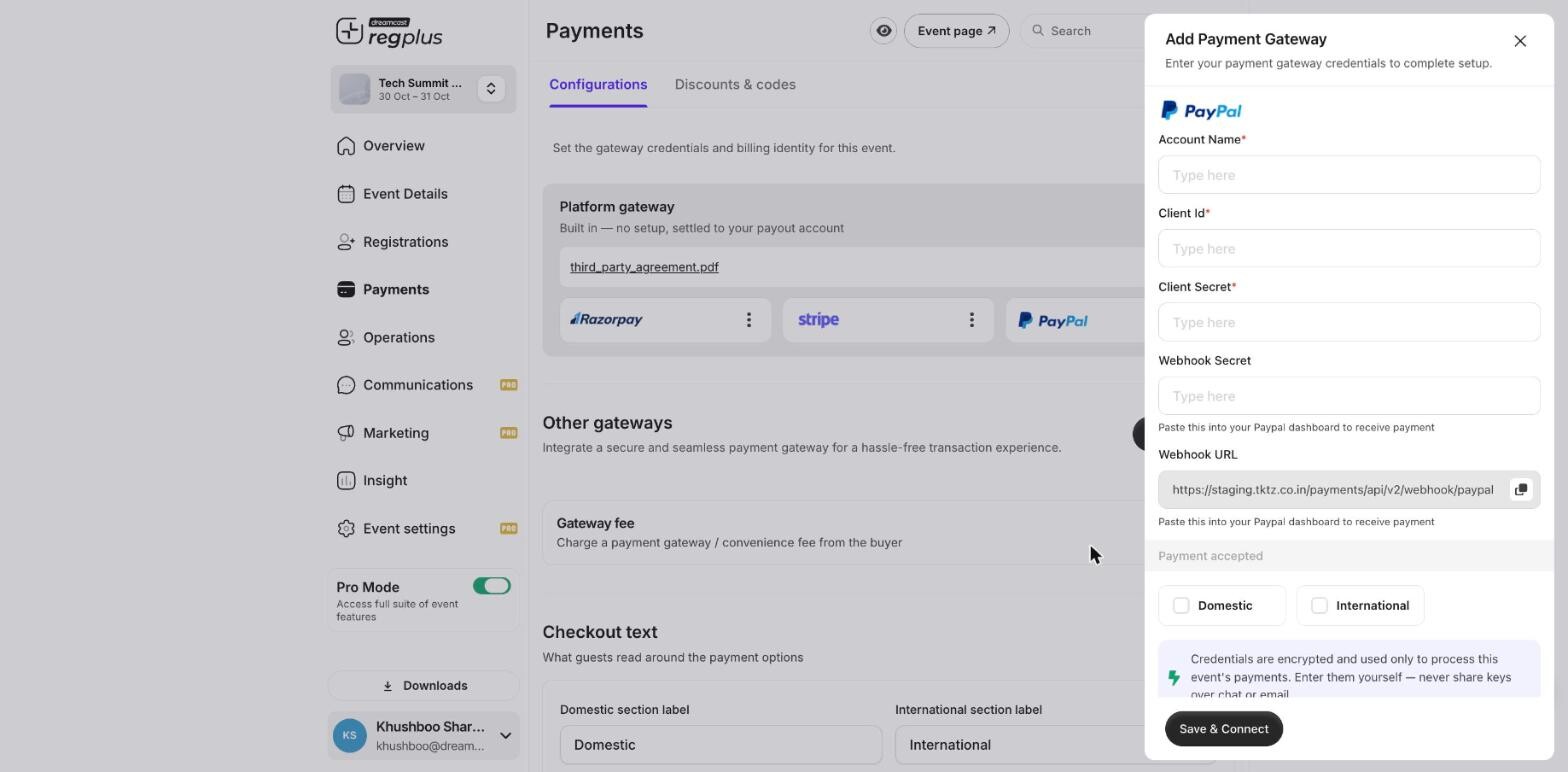
Add PayPal
Under Other gateways, click Add Other and choose PayPal.

Step 2 — Get your credentials and webhook from PayPal
Create an app
In the PayPal Developer Dashboard, go to Apps & Credentials and create (or open) an app. It gives you a Client ID and a Secret.
Add a webhook
In that app's settings, add a webhook using the Webhook URL from the regplus form, and subscribe to the payment events. Note any webhook secret if PayPal provides one.
Step 3 — Finish the connection in regplus
Fill each field, then click Save & Connect.
| regplus field | What to enter |
|---|---|
| Account Name | A name to recognise this connection (e.g. PayPal — main) |
| Client Id | Your PayPal app Client ID |
| Client Secret | Your PayPal app Secret |
| Webhook Secret | The webhook secret, if PayPal gave you one |
| Webhook URL | (read-only — paste it into PayPal in Step 2) |
| Payment accepted | Tick Domestic, International or both |
Test before you go live
Make a test booking and confirm it shows as paid in Insight → Financial. If it's charged but not confirmed, re-check the webhook URL in your PayPal app.