


How to build your ticket types and pricing
On this page/ The category matrix
In short: In regplus a category groups what people sign up for, and inside it you add ticket types (sub-categories) — each with its own price, sale window and limits. You manage all of this under Registrations → Categories.
The category matrix

- A category (e.g. Attendee, Paid Passes) is the top-level group, tagged Standard or Paid.
- Each category holds one or more ticket types (sub-categories), each with its own Manage controls and registered count.
- Use the toggle to turn a category or ticket type on/off, the gear for its settings, and + Sub-Category to add another ticket type.
Step 1 — Add a category
New category
Click Add Category.
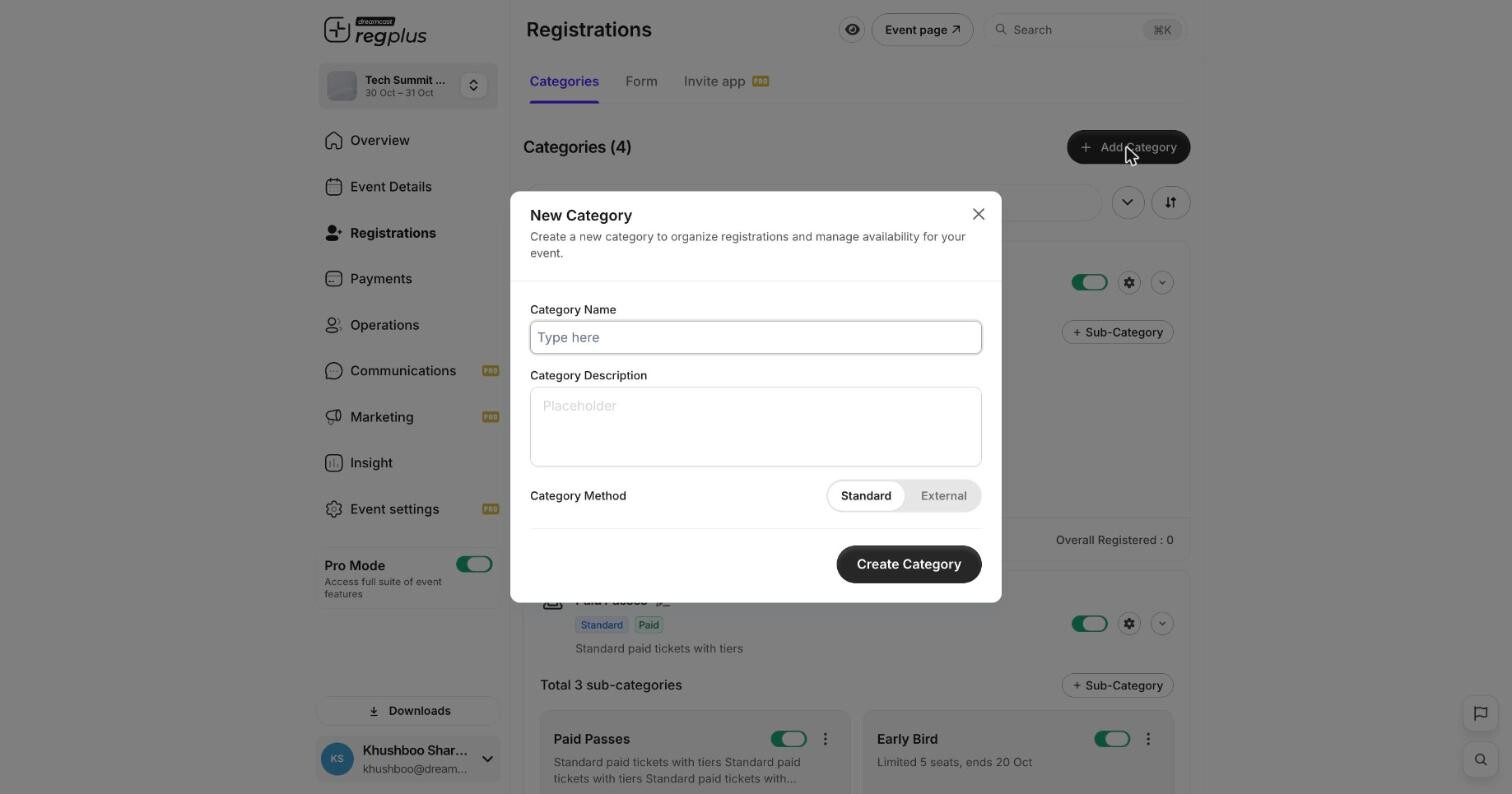
Name it and pick a method
Give it a name and optional description, then choose the Category Method:
- Standard — people book this on regplus.
- External — sends people to another website to book (see Send guests to an external page).
Create
Click Create Category. Then add ticket types inside it with + Sub-Category.

Step 2 — Set up a ticket type
Click Manage on a ticket type to open its Setup tab.

| Setting | What it does |
|---|---|
| Sale window | The start and end date/time this ticket is on sale. Use it for early-bird tiers that close before the regular ones. |
| Capacity | How many can be sold. Tap the ∞ to remove the cap (unlimited). |
| Per Order (min–max) | The fewest and most of this ticket one order can include. |
| Enforce capacity on backend registration | When on, manual and on-site registrations also reduce availability — keep it on so your cap is a true limit. |
Click Save Changes. The Manage view also has Form, Guests, Ticket type and Accred managers tabs for that ticket type.
Step 3 — Price it, or make it private
- Pricing — set a ticket free, or switch on Paid and enter a price (paid tickets need a payment gateway — see Configure payments & taxes).
- Make it private — tick this on a ticket type to hide it from your public page; only people with its private link can book it (see Make an event invite-only).
FAQ
What's the difference between a category and a ticket type?
A category is the group (like Delegate); a ticket type (sub-category) is the specific option inside it (like Early Bird or Regular) with its own price and sale window.
How do I run early-bird pricing?
Add two ticket types: an early-bird with a sale window that ends on a date, and a regular one whose window opens after. Buyers automatically see whichever is on sale.
My cap isn't holding when I add guests manually
Turn on Enforce capacity on backend registration in the ticket type's Setup. Otherwise manual and on-site registrations don't count against the cap.