


How to make your event invite-only
On this page/ Make a ticket type private
In short: Not every event should be open to the public. regplus lets you keep tickets hidden behind a private link, so only the people you share it with can register.
Make a ticket type private
The main way to run invite-only is to mark a ticket type as private. It then disappears from your public event page and only opens to people who have its private link.
Open your ticket types
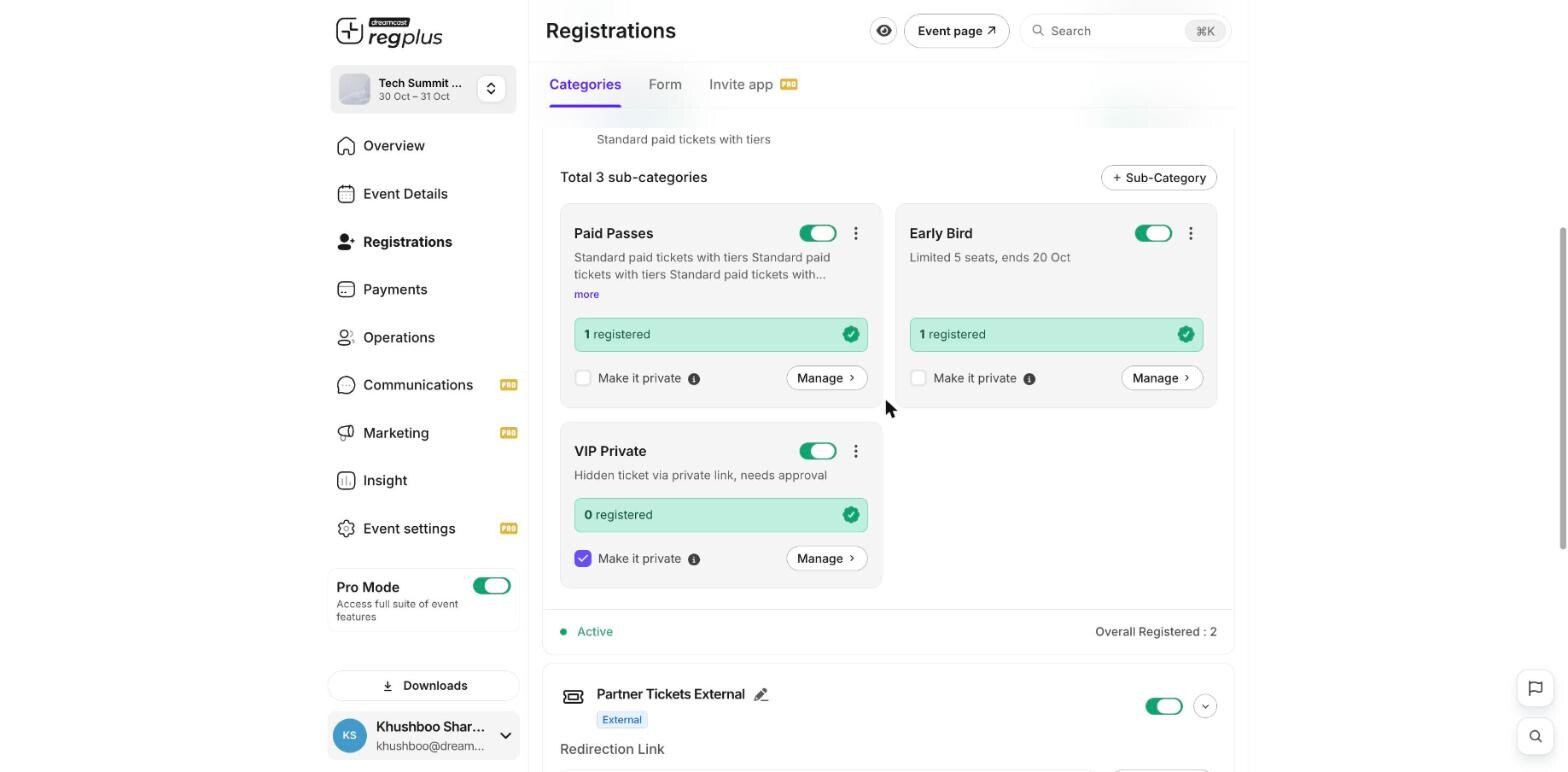
Go to Registrations → Categories.
Turn on Make it private
Tick Make it private on the ticket type you want to hide. It becomes a hidden ticket, reachable only by its private link (you can also require approval).
Share the private link
Share that ticket's private link only with the people you want to invite. Anyone without it won't see the ticket.

Hide the whole event
If you don't want a public landing page at all, open Event Details and turn on Disable Landing Page. People can then only reach your event through the links you share.