


How to create discount codes
On this page/ Turn on discounts
In short: Discount codes let guests take money off at checkout. Create them under Payments → Discounts & codes, as a single code or in bulk.
Turn on discounts
Open Payments → Discounts & codes and switch Discount on. This shows the Promo Code box on your event's landing page so guests can enter a code at checkout.

The table lists every code with its discount, validity, the ticket types it applies to, how many times it's been used, and its usage limit.
Create a single code
New Discount
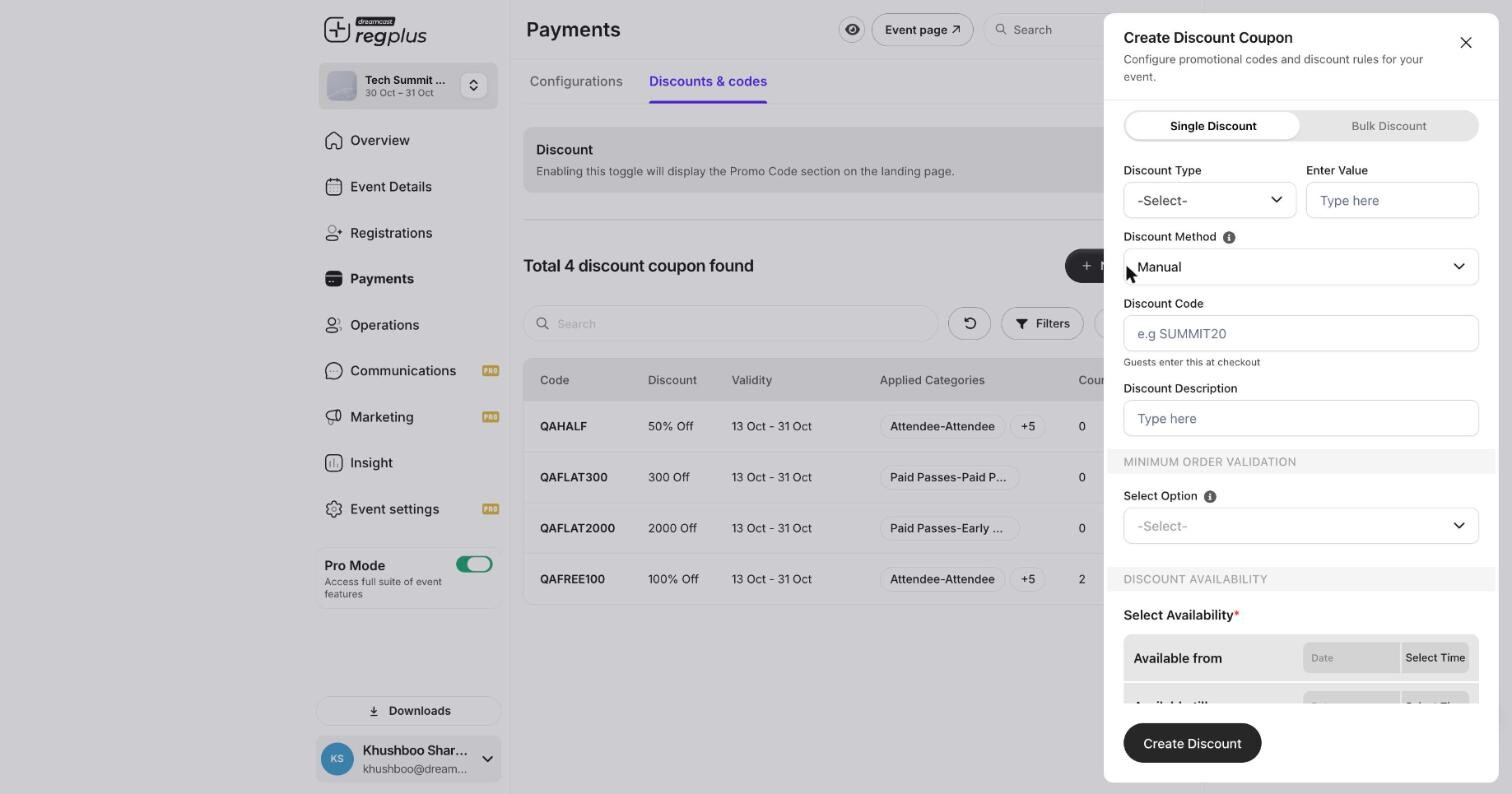
Click New Discount and stay on the Single Discount tab.
Set the discount
Choose a Discount Type — a percentage (e.g. 50% off) or a flat amount (e.g. ₹300 off) — and enter the value.
Name the code
Enter the Discount Code guests will type at checkout (e.g. SUMMIT20) and an optional description for your own reference.
Add limits and rules
Optionally set a minimum order rule, a usage limit, a validity window (start and end dates), and which ticket types the code applies to.
Create
Click Create Discount. The code is live immediately within its validity window.

Field reference
| Field | What it does |
|---|---|
| Discount Type | Percentage or flat amount off |
| Enter Value | The size of the discount (e.g. 50 or 300) |
| Discount Method | How it's applied — e.g. Manual (guest types the code) |
| Discount Code | What guests enter at checkout |
| Discount Description | A private note to help you recognise the code |
| Minimum order validation | Require a minimum cart value before the code works |
| Discount Availability | The ticket types and/or dates the code is valid for |
Create codes in bulk
Switch to the Bulk Discount tab to generate many unique codes at once — handy for sponsor allocations or one-use invites, where each guest gets their own code.