


How to resend a guest's ticket or confirmation
Updated 1 min read
On this page/ Resend to a guest
In short: If a guest says they never got their confirmation or ticket, you can send it again from their record — by email or WhatsApp — without re-registering them.
Resend to a guest
Open the guest list
Go to Registrations → Categories, click Manage on the guest's ticket type, and open the Guests tab.
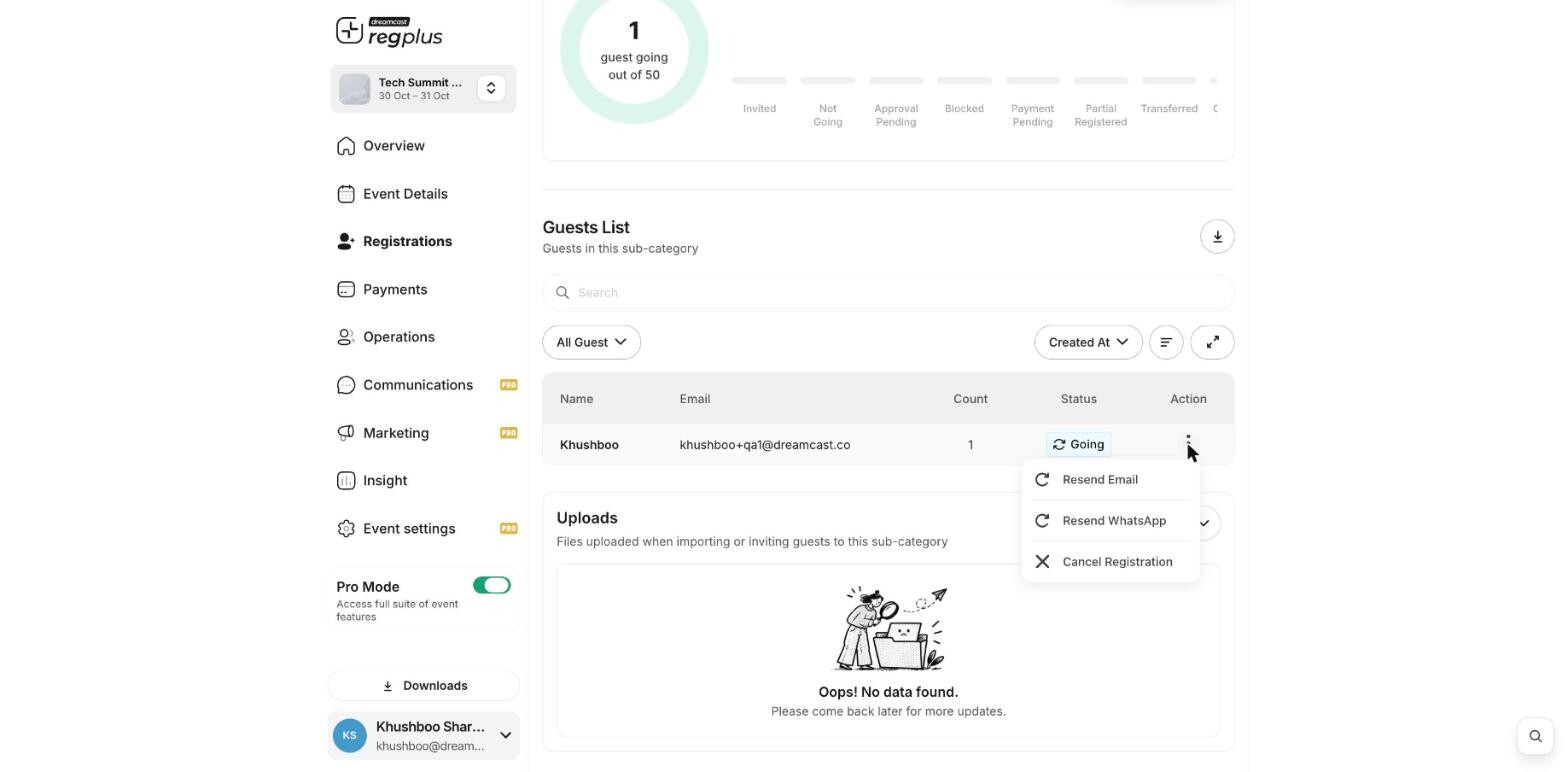
Resend
From the guest's ⋮ menu, choose Resend Email or Resend WhatsApp.

What's next?
Was this page helpful?