
Create a code
1
Add a discount
Go to Payments → Discounts & codes and click New Discount.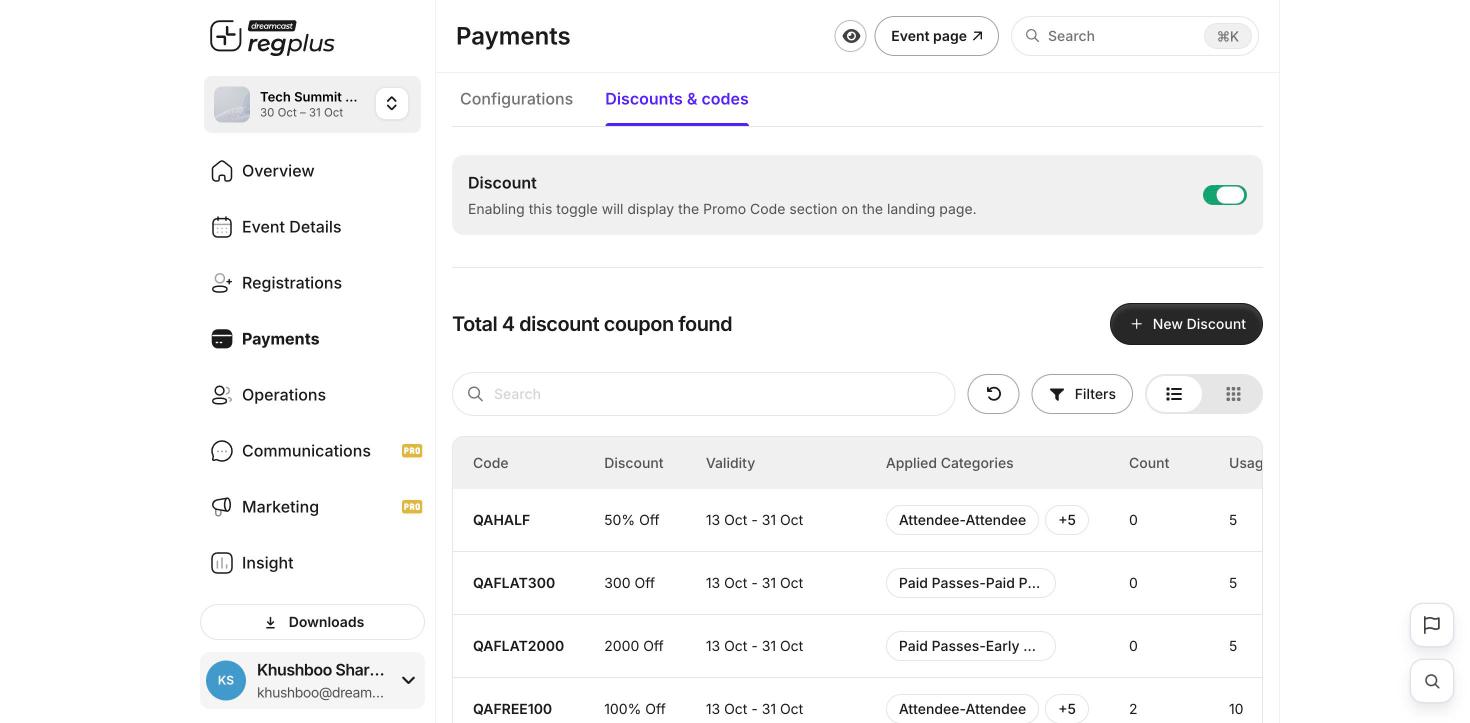
2
Set the code and amount
Type the code guests will enter (for example EARLY20). Choose Percentage (for example 20%) or a flat amount off.
3
Choose scope, limit and dates
Pick which ticket types it works on, set the Available from and Available till dates, and a usage limit.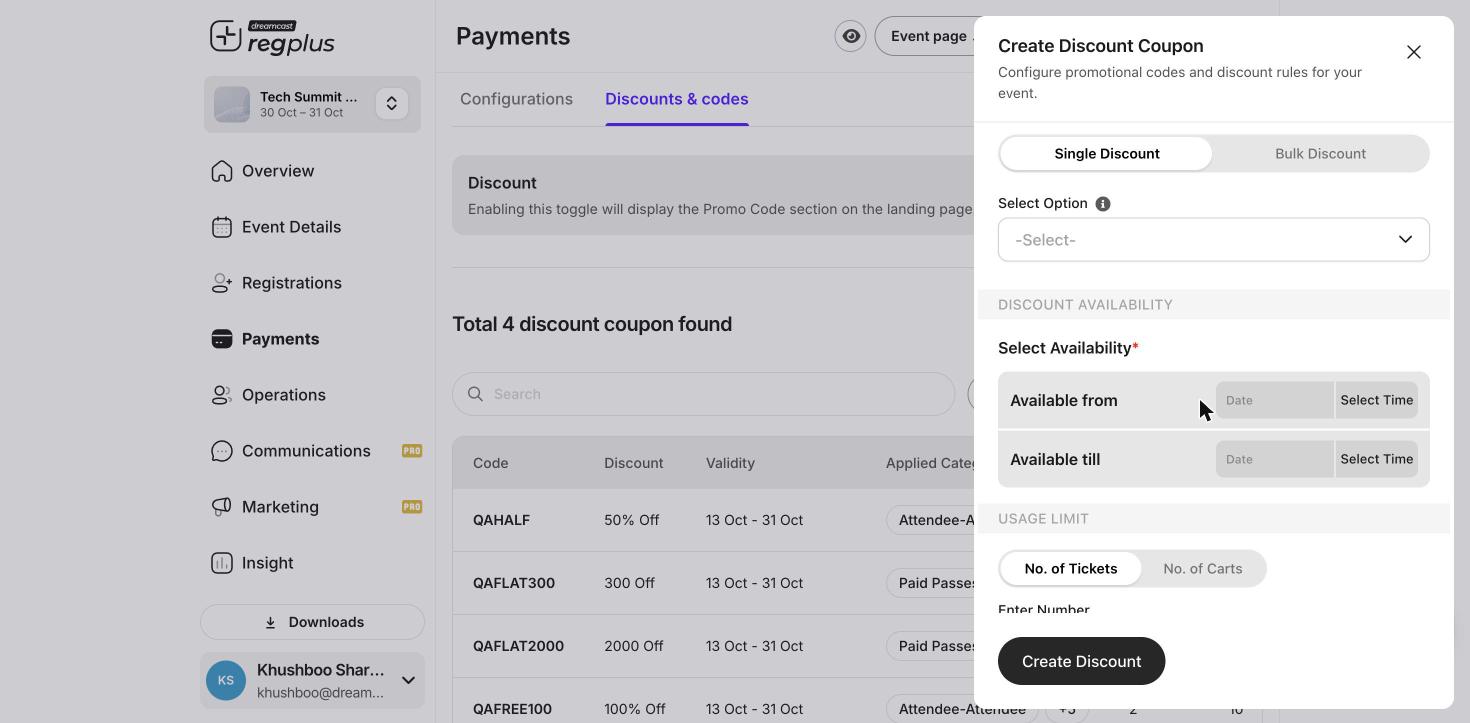
4
Save
Click Create Discount. The code is now live. Guests enter it at checkout and the price drops.
A discount never takes the total below zero. Set a usage limit so a code can’t be shared more widely than you intended.
What’s next?
Ticket types & pricing
Set up what guests buy.
Publish & share
Take your event live.