
Add an external ticket type
1
Add a category
Go to Registrations and click + Add Category.
2
Choose the external method
Set the category method to External, then paste the web address guests should go to in the Redirection Link field.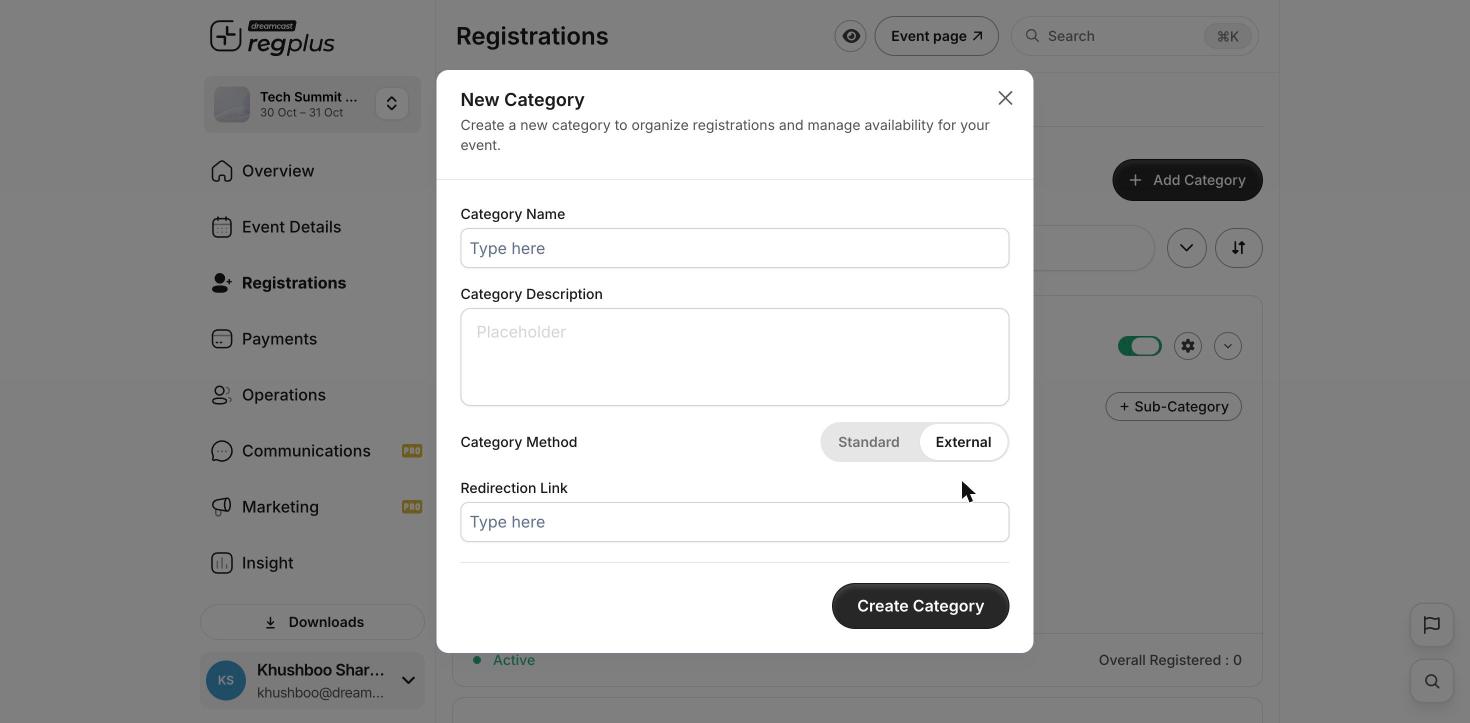
3
Save
Click Create Category. On your event page, that option now opens the external site instead of the Regplus checkout.
Regplus can’t see sign-ups that happen on the other website, so those guests won’t appear in your registrant list or counts. Check the other platform for those numbers.
What’s next?
Ticket types & pricing
Set up your other ticket types.
Tracking links (UTM)
See where your sign-ups come from.