
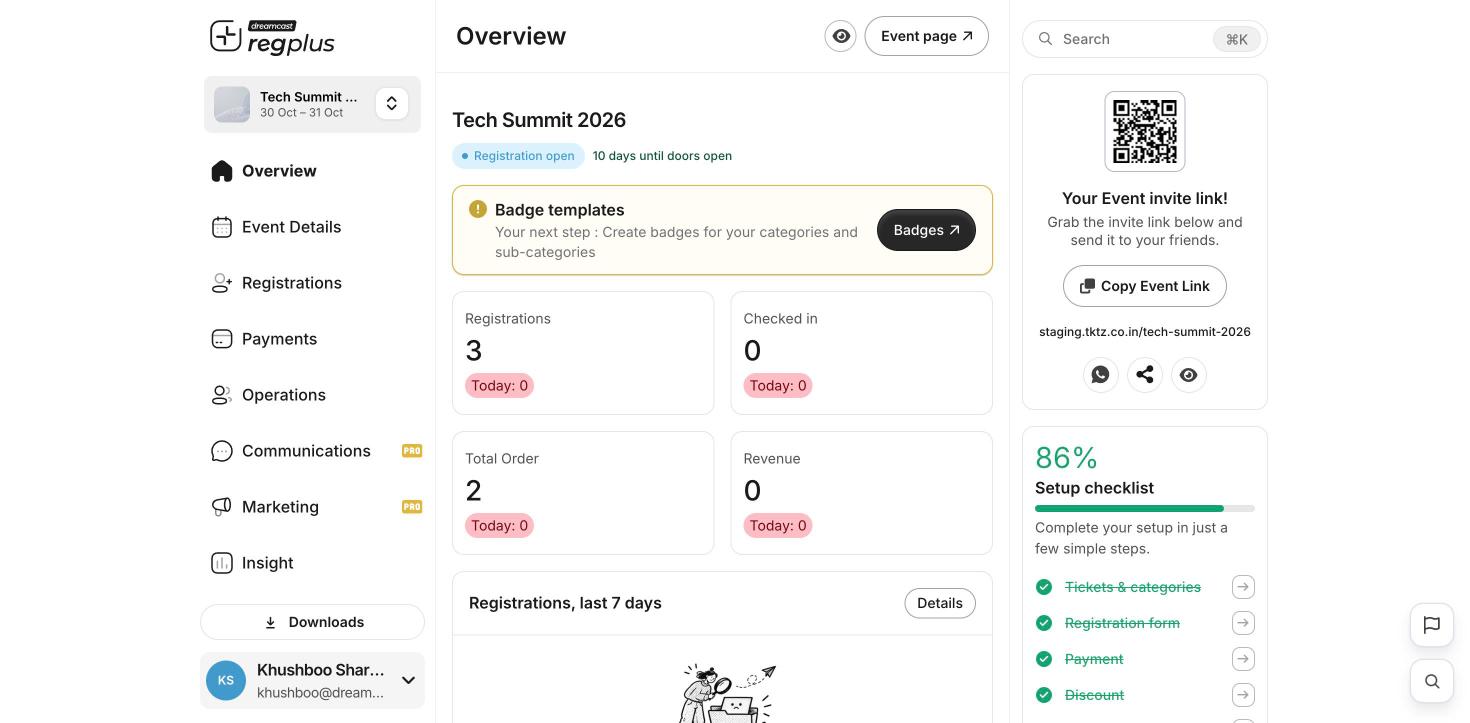
The left menu
- Overview — your event’s home: live counts for registrations, revenue and check-ins.
- Event Details — name, date, venue and event page details.
- Registrations — your ticket types and the registration form.
- Payments — turn on payments, set taxes and fees.
- Operations — badges and on-ground check-in.
- Communications — emails and WhatsApp messages to guests.
- Marketing — tracking links and promotion tools.
- Insight — detailed reports and exports.
- Event settings — advanced options and team access.
Switch between events
Click the event name at the top of the left menu to jump to another event.See your live event page
Click Event page at the top right at any time to see exactly what your guests see.What’s next?
Create your first event
Set up an event from scratch.
Build your registration form
Decide what guests fill in when they sign up.