
Add a ticket type
1
Open Registrations
Go to Registrations. Click + Add Category and name your ticket type.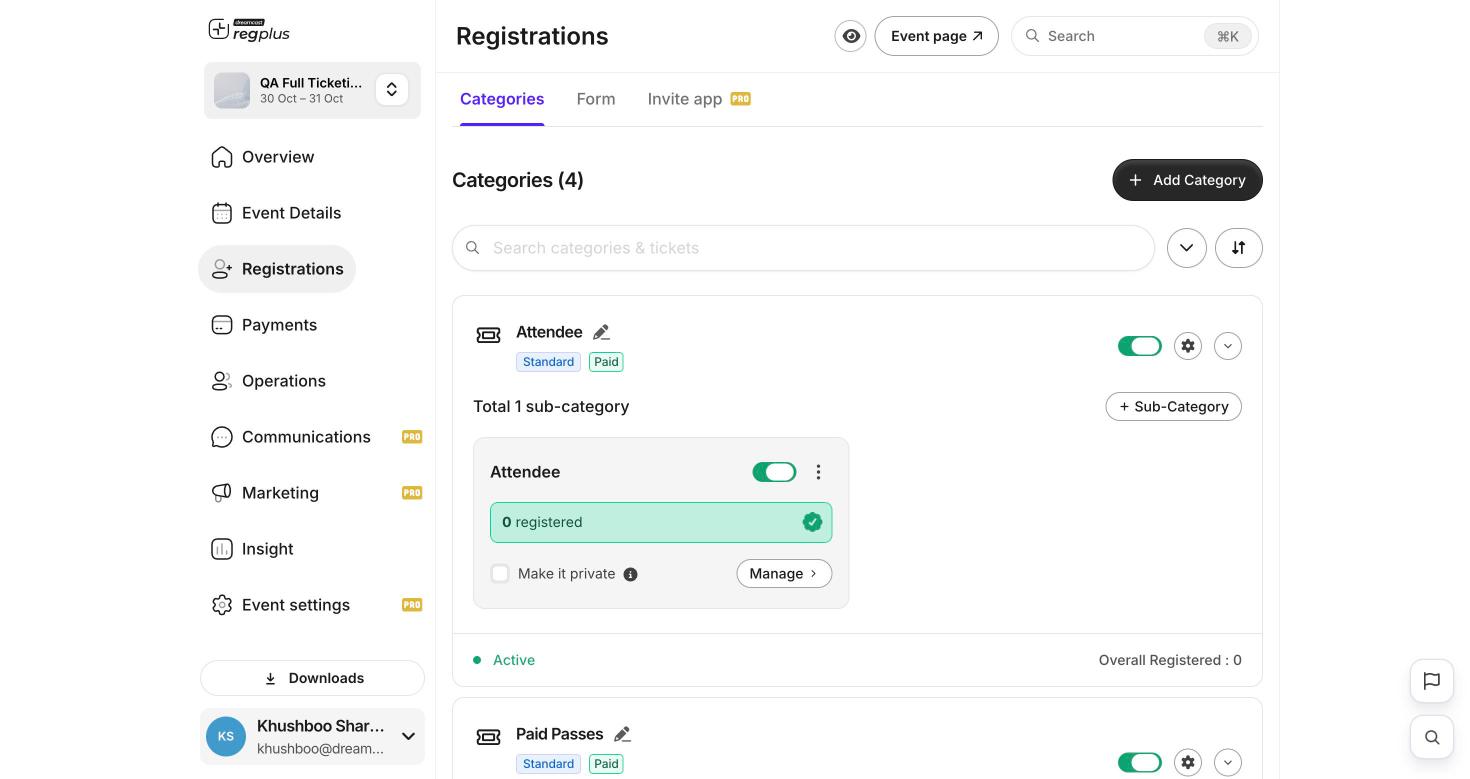
2
Add an option
Click + Sub-Category to add an option inside it. Set it free, or switch on Paid and enter a price.
Set a sale window
For each option you can set a start and end date so it’s only on sale during that window. Use this for early-bird pricing: an early-bird option that closes, and a regular option that opens after.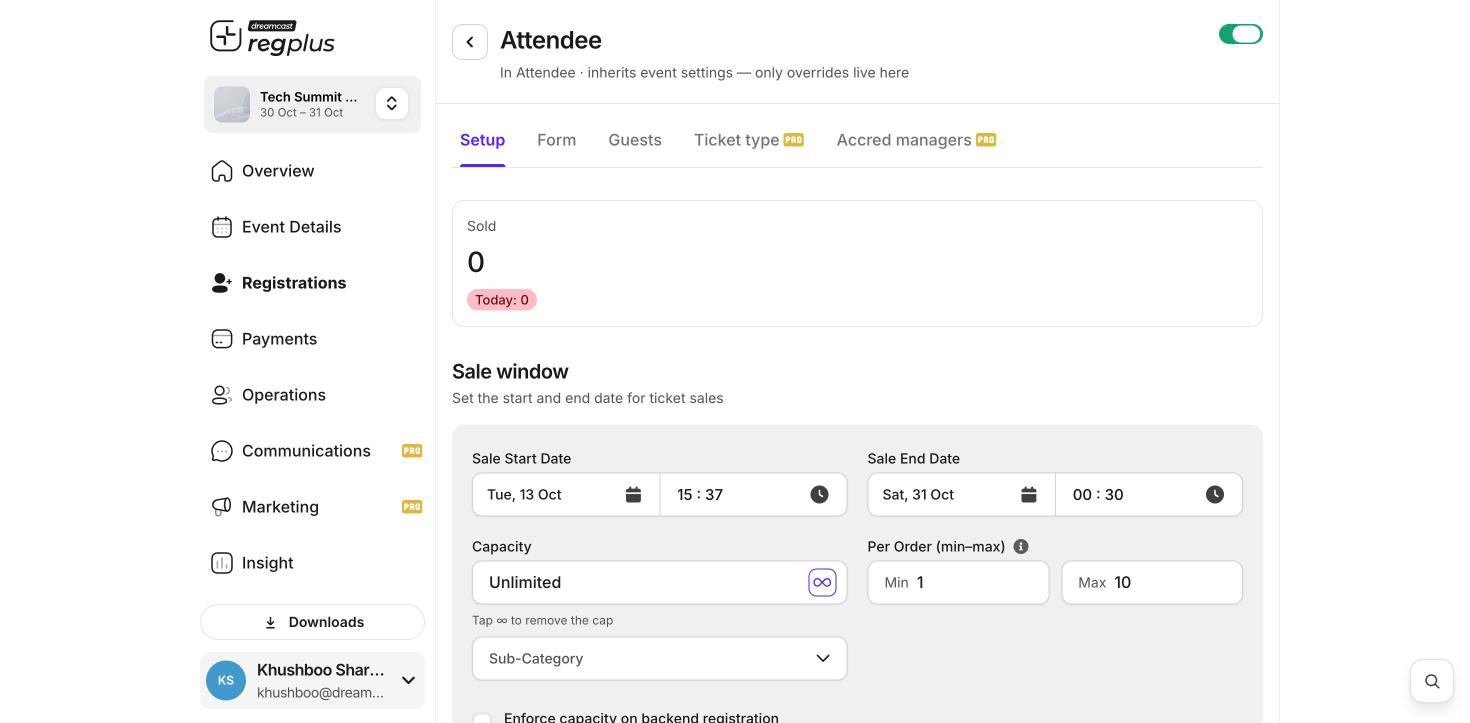
Sell a private ticket
Turn on Make it private to hide an option from your main event page. Only people with the private link can see and book it — useful for sponsors or special guests.For paid tickets, turn on payments first, or guests won’t be able to pay. See Turn on payments.
What’s next?
Turn on payments
Collect money for paid tickets.
Create a discount code
Give guests money off at checkout.