
Add a team member
1
Open team access
Go to Event settings → Team & roles.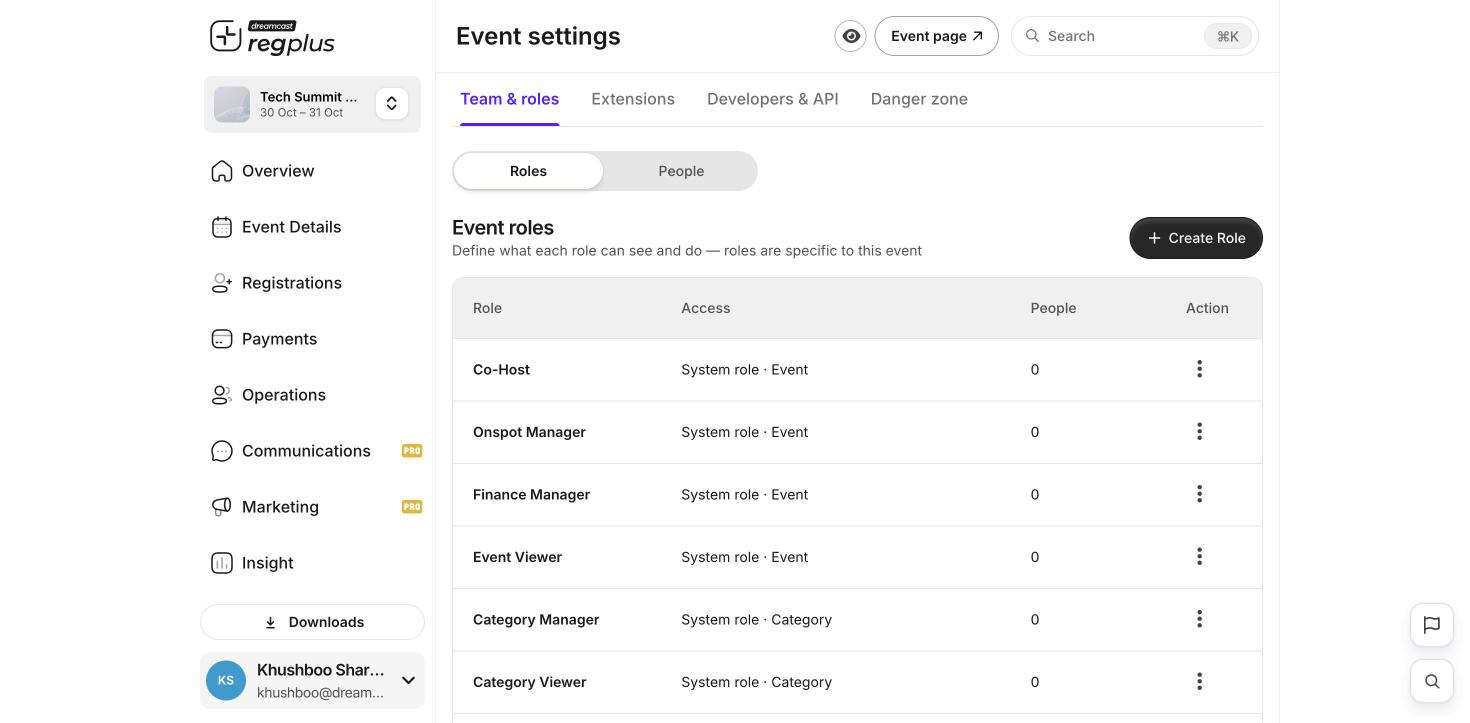
2
Invite by email
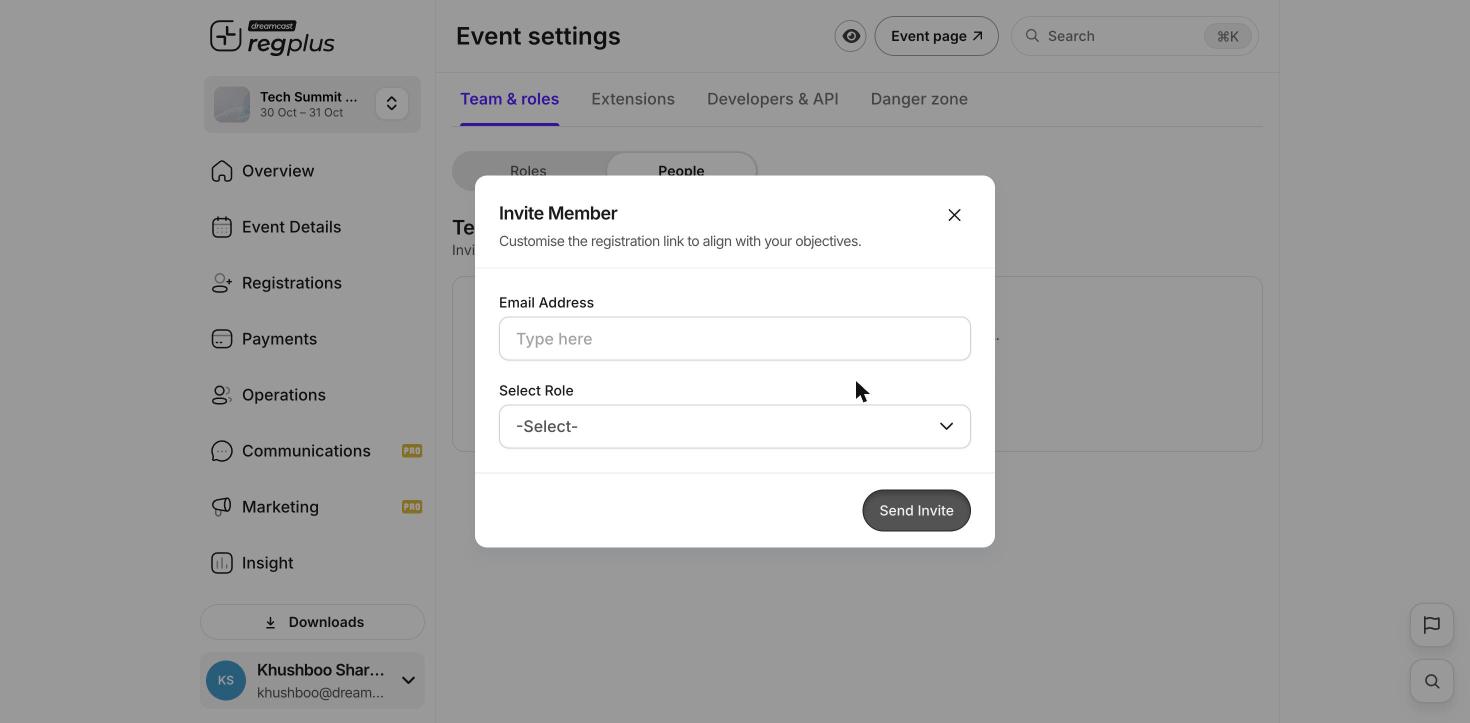
On the People tab, click Invite Member. Enter a colleague’s email, choose their role, and send the invite. They get access once they accept.
Only the event owner can manage team access. Give each person the least access they need to do their job.
What’s next?
Plans & billing
See what your plan includes.
A quick tour
Find your way around the dashboard.