
Turn it on
Go to Marketing → Download M-Badge and switch it on. The setup options appear below.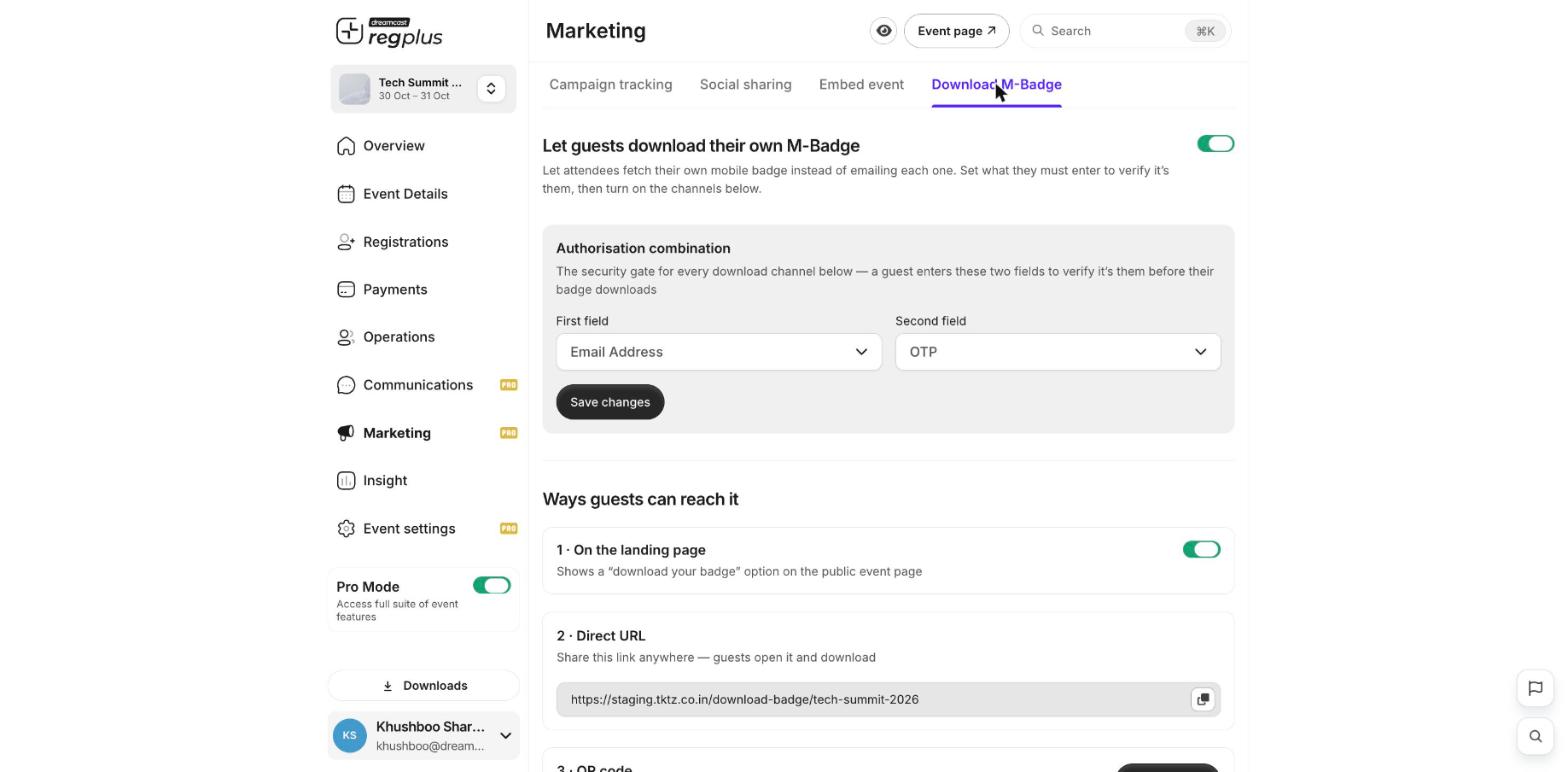
Set the identity check
Under Authorisation combination, choose the two details a guest must enter to prove it’s them before their badge downloads — for example their email and phone number. This stops someone pulling another guest’s badge.Choose how guests reach it
Turn on any of these ways for guests to get to their badge:- On the landing page — shows a download your badge option on your public event page.
- Direct URL — a link you can share anywhere; guests open it and download.
- QR code — a code guests can scan to reach the download page.
Only guests who pass the identity check can download a badge, so it’s safe to share the link or QR code publicly.
What’s next?
Badges & check-in
Set up badges and check guests in.
Embed your event
Add your event to your website.