
Choose how to embed
Go to Marketing → Embed event. You have two options — copy the code for the one you want and paste it into your website’s HTML.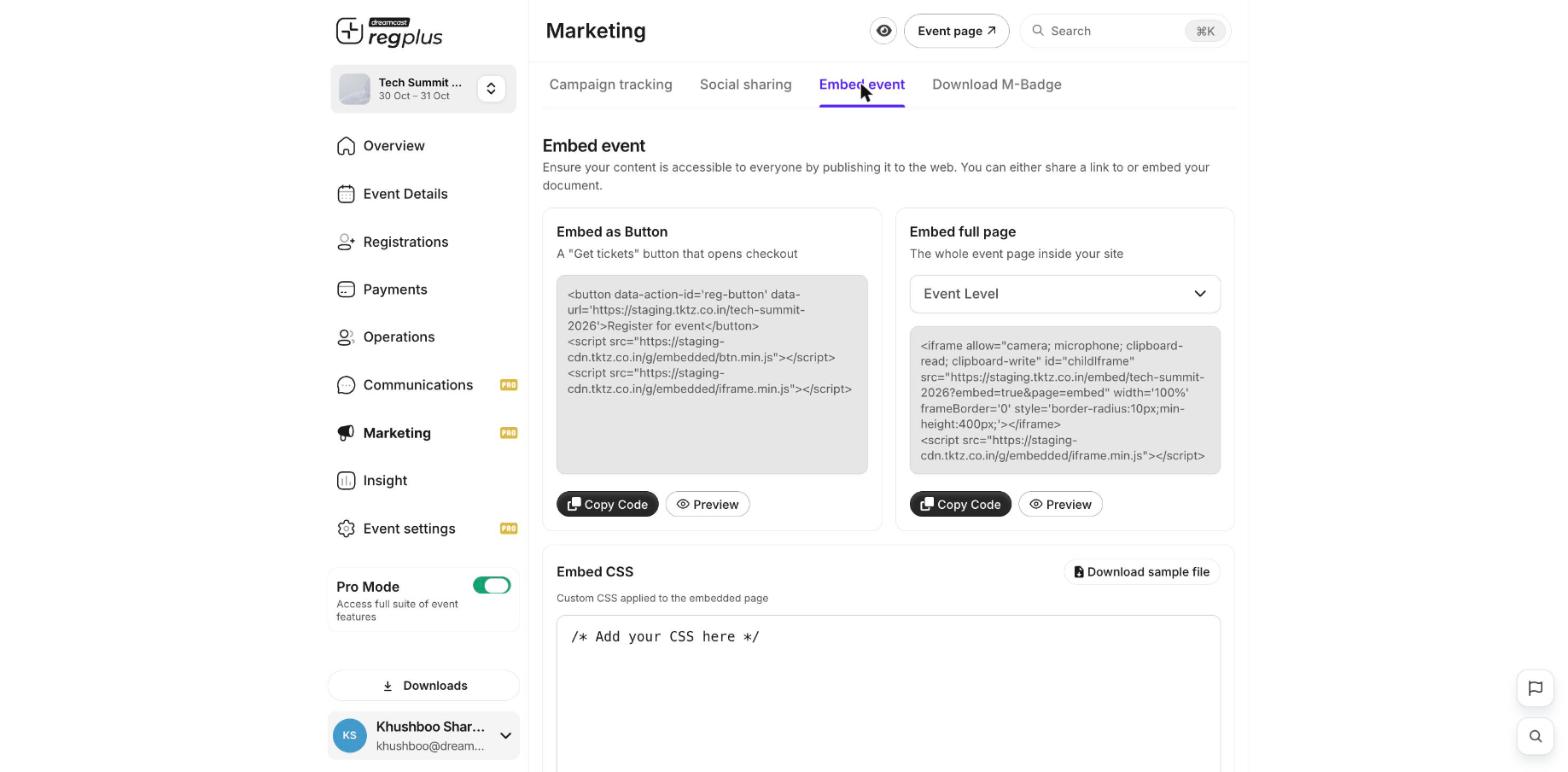
1
Embed as a button
Adds a Get tickets button to your page. When someone clicks it, checkout opens in a pop-up. Click Copy Code, then paste it where you want the button to appear. Use Preview to see it first.
2
Embed the full page
Shows your whole event page inside your site. Pick what to show in the dropdown (for example Event Level), click Copy Code, and paste it where you want the event to appear.
Match your site’s look
Under Embed CSS you can add your own styling so the embedded event blends in with your website. Use Download sample file to start from an example.If you’re not comfortable editing your website’s code, send this page to whoever manages your site — pasting the snippet is all it takes.
What’s next?
Add a LinkedIn share card
Let guests share that they’re attending.
Publish & share
Take your event live.