
Move a guest
1
Cancel the current registration
Go to Registrations → Categories, click Manage on the guest’s current ticket type, open the Guests tab, and from the guest’s ⋮ menu choose Cancel Registration.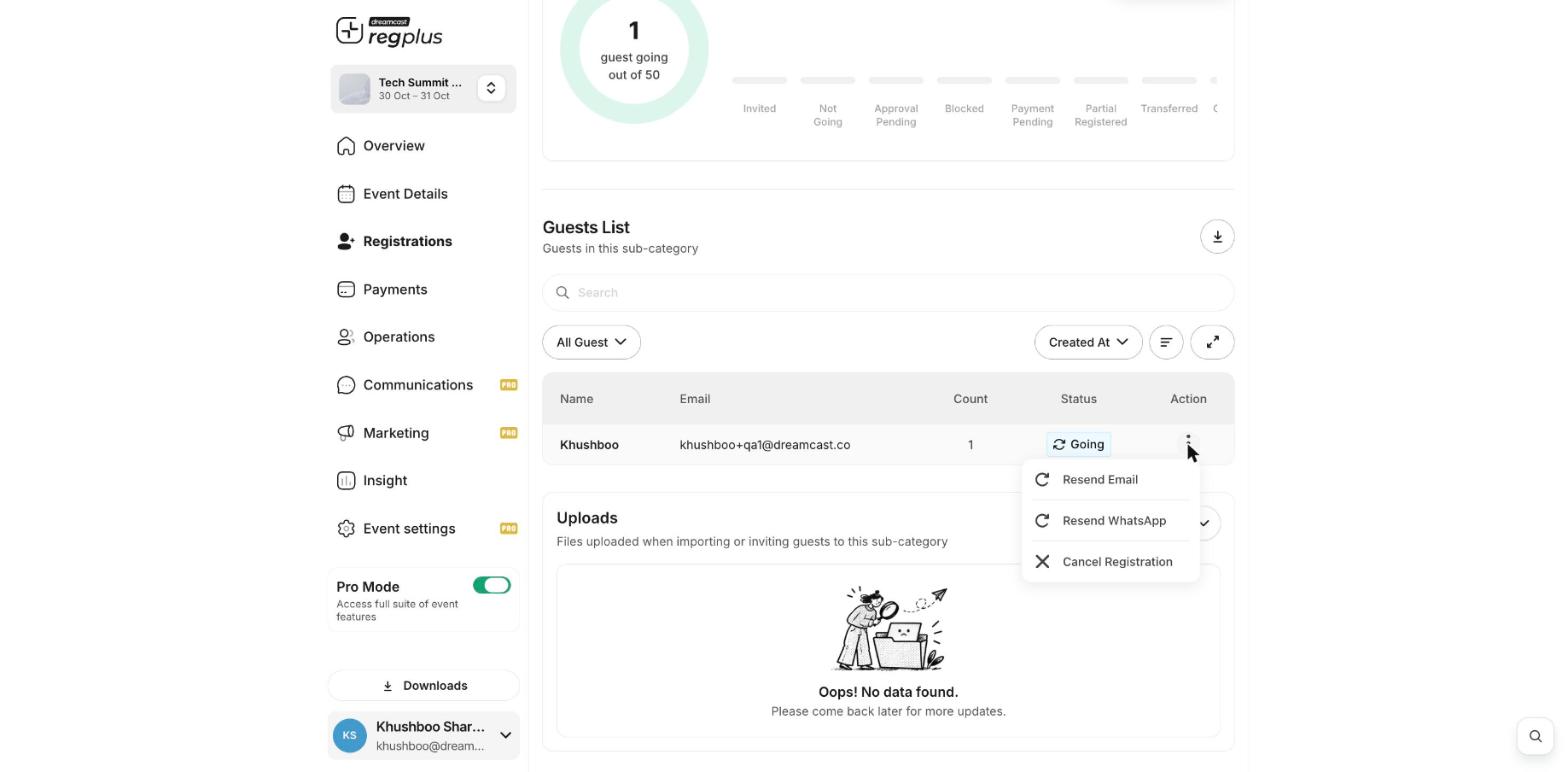
2
Add them to the new ticket type
Open the ticket type you want to move them to, go to its Guests tab, click Add Guests → Invite, and enter the guest’s details. See Add a guest manually.
Ticket changes and transfers are tracked in Insight → Attendee Dynamics, under Category Changed and Ticket Transferred.
What’s next?
Add a guest manually
Add them to the new ticket type.
Manage registrants
Find and manage guests.