
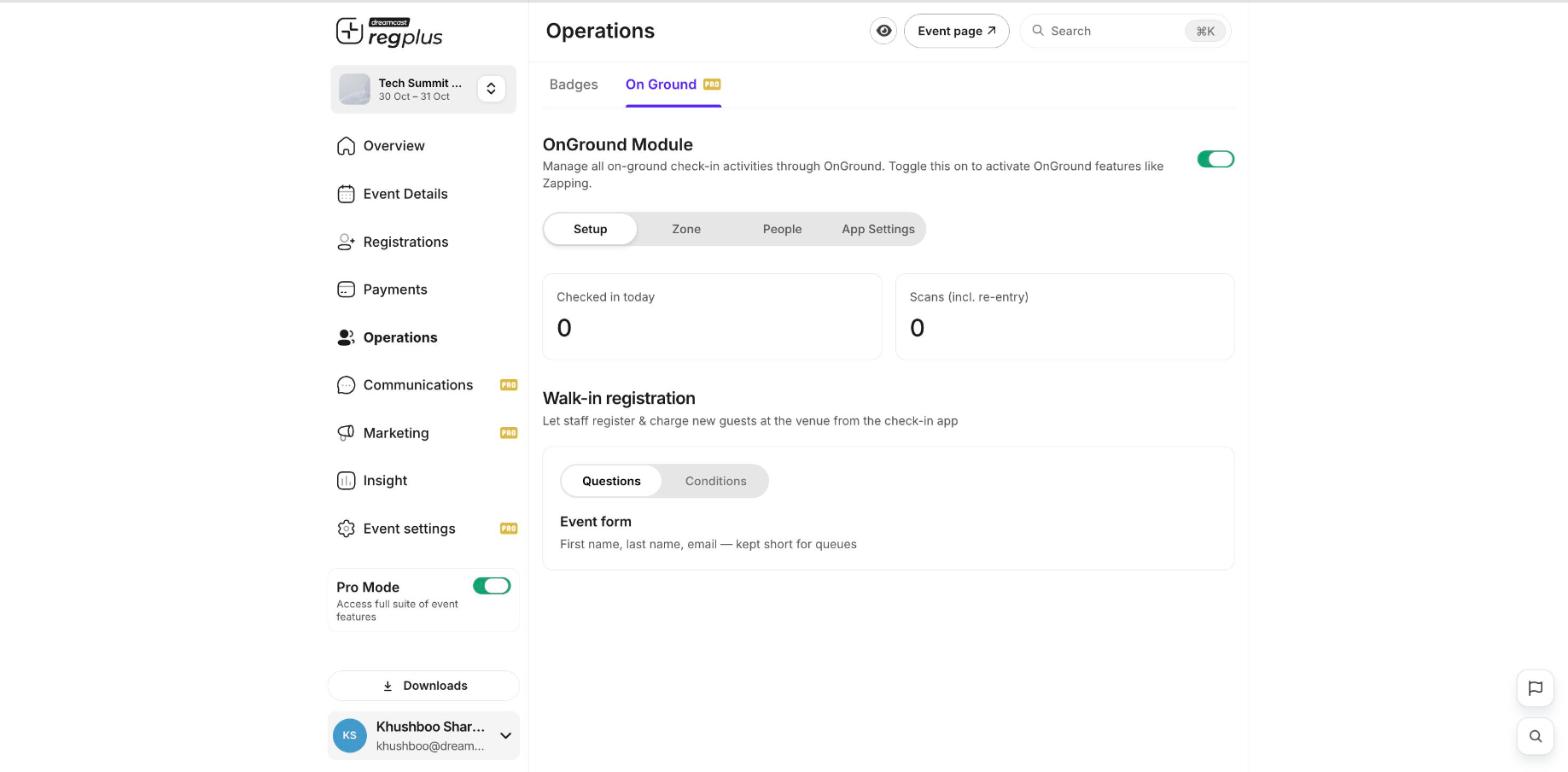
Turn on On Ground
Go to Operations → On Ground and switch the OnGround Module on. This activates on-ground check-in, zones and the walk-in registration form.Check a guest in
1
Open the check-in app
Use the On Ground check-in app on your phone or tablet at the door.
2
Find the guest
Scan the QR code on the guest’s ticket or M-Badge, or search for them by name, email or phone.
3
Check them in
Confirm the guest to mark them as checked in. Your Checked in today and Scans counts update live.
Register walk-ins
Turn on Walk-in registration so staff can register and charge new guests right at the venue from the check-in app — handy for people who didn’t sign up in advance.What’s next?
See attendee dynamics
Track check-ins and badge prints live.
Manage registrants
Find and manage individual guests.