
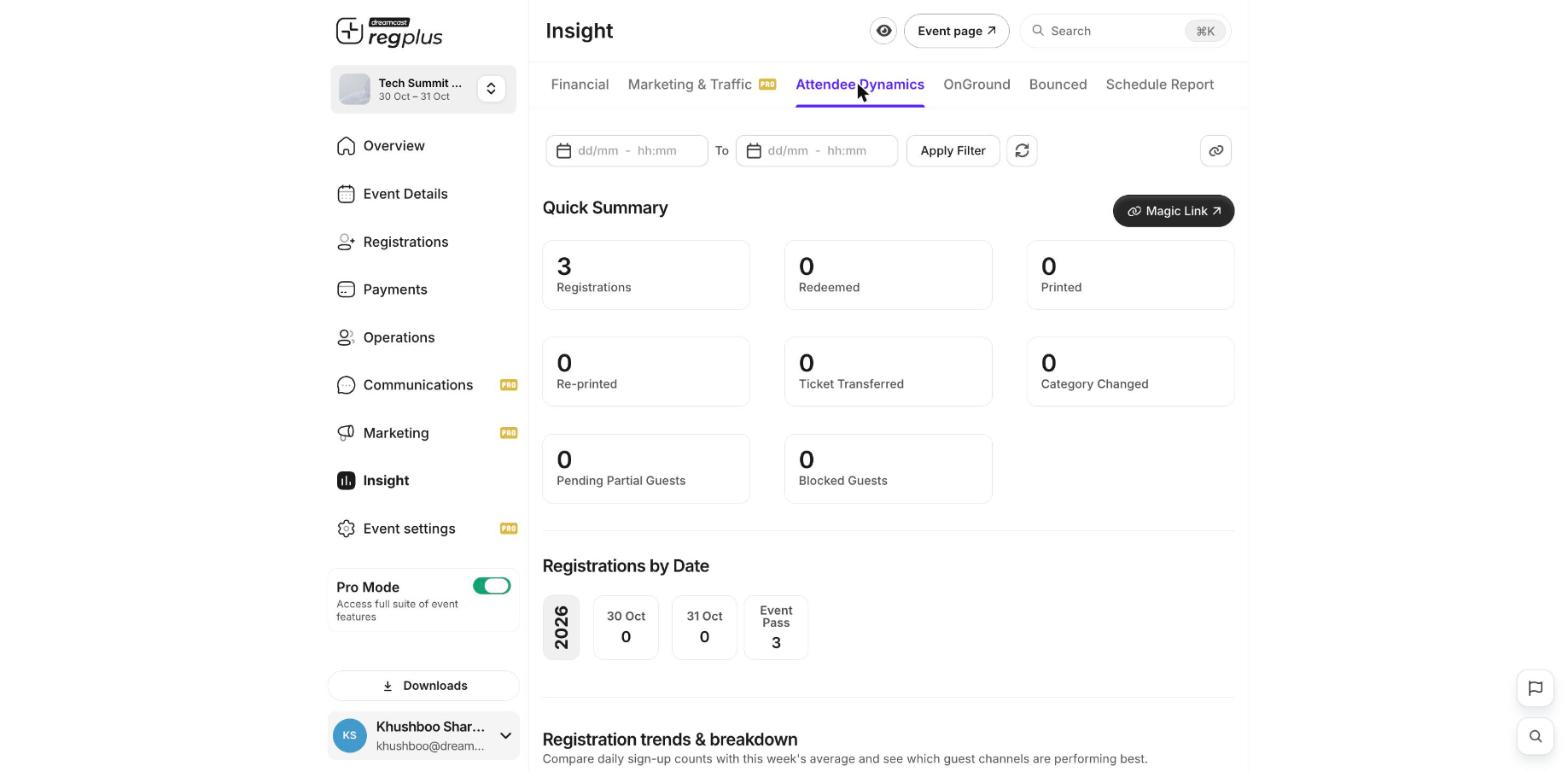
The Attendee Dynamics report under Insight shows how your guest list is building up and what’s happening to it — check-ins, badge prints, transfers and more. Open Insight → Attendee Dynamics to see it.
The Attendee Dynamics report showing the quick summary and registrations by date

Quick Summary

The cards at the top track every important action on your guest list:
  • Registrations — total people registered.
  • Redeemed and Printed — how many were checked in and had badges printed.
  • Re-printed — badges printed more than once.
  • Ticket Transferred — registrations moved from one guest to another.
  • Category Changed — guests moved to a different ticket type.
  • Pending Partial Guests — people who started a partial registration but haven’t finished.
  • Blocked Guests — guests you’ve blocked.

Registrations by Date

This shows how many people registered on each day leading up to the event, plus an Event Pass total, so you can see when your sign-ups peaked. Further down, compare daily sign-up counts against the week’s average and see which guest channels are performing best.

Filter by date

Use the date range at the top and click Apply Filter to focus on a specific period.