
Turn on the share card
Go to Marketing → Social sharing and switch on the LinkedIn share card. Once it’s on, guests see a share to LinkedIn option on the thank-you page right after they register.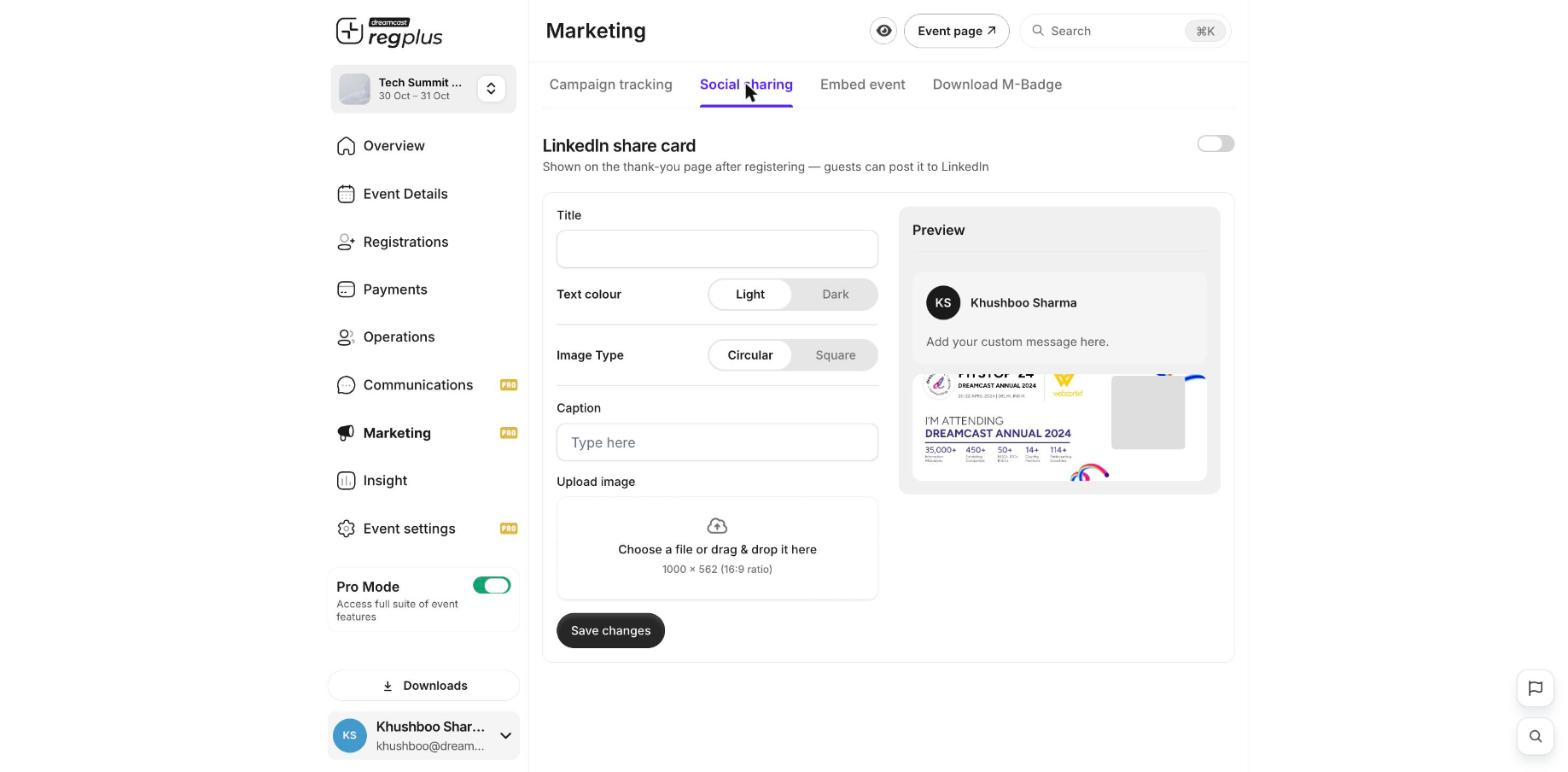
Design the card
Use the settings on the left — the preview on the right updates as you go:- Title — the heading shown on the card.
- Text colour — pick Light or Dark so the text stays readable on your image.
- Image type — show the guest’s photo as a circle or a square.
- Caption — the default message that goes with the post (guests can edit it before sharing).
- Upload image — the background image for the card. Use a 1000 × 562 px image (16:9) for the best fit.
What’s next?
Embed your event
Add your event to your own website.
Track where sign-ups come from
Use tracking links to see what’s working.