
In short
The Invite app lets you hand out invitations through other people — a sponsor, a sales lead, a community manager — while you stay in control of how many seats each of them can give away. You add them as invite admins, set a quota, and they invite guests from their own phone without ever touching your event settings.Where to find it: Open Registrations from the left menu and go to the Invite app tab. This is a Pro feature.
An invite admin is not tied to a single ticket type. The invites they send can bring a guest into whichever ticket types you allow through their quota — so one trusted person can invite across your whole event.
Add an invite admin
On the Invite app tab, click Add New. The Add Admin panel opens.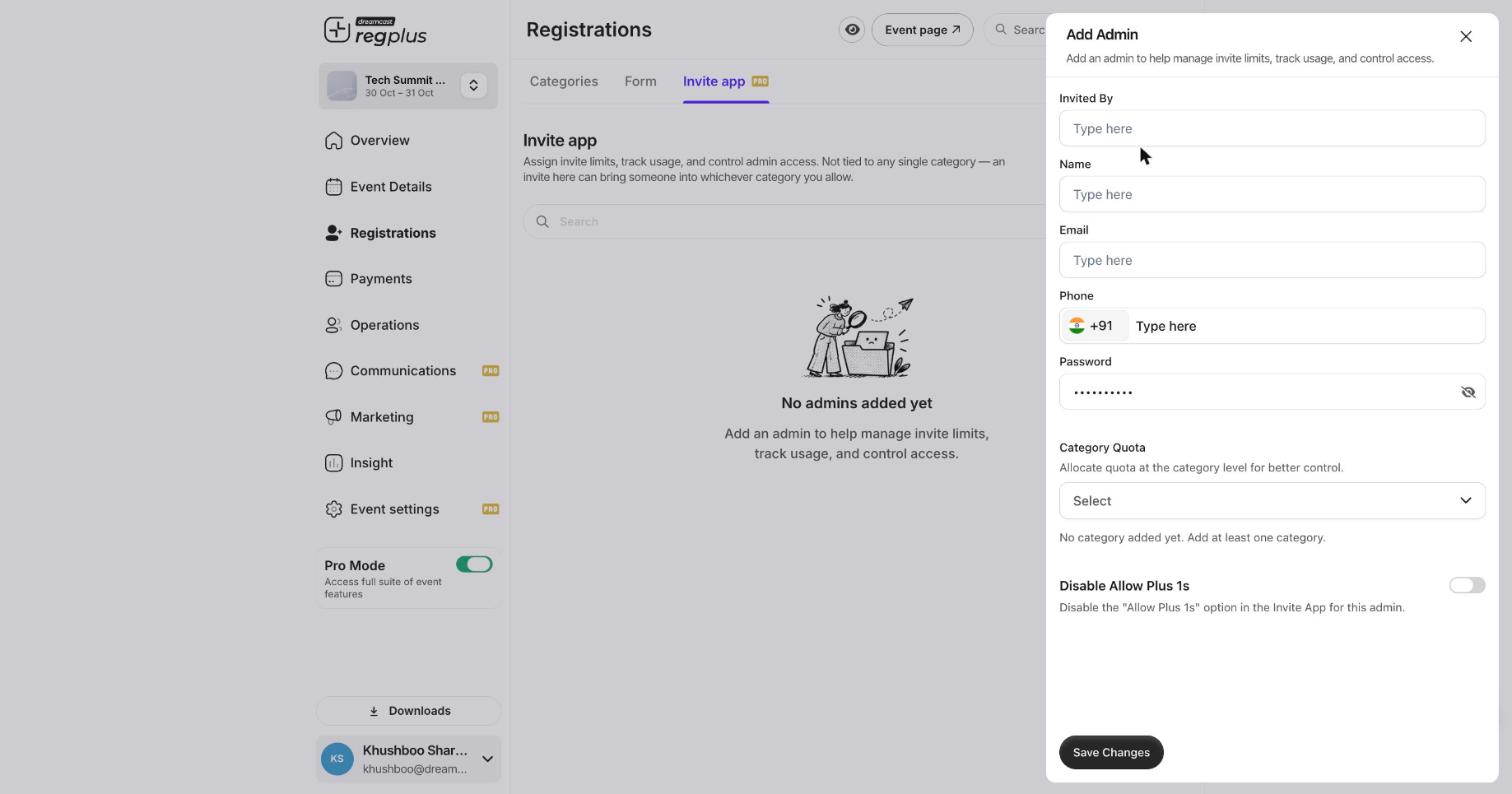
The Add Admin panel — who the admin is, their login, and how many invites they get.
Field reference
Click Save Changes. The admin now appears in the Invite app list, where you can track how many of their invites have been used.
How admins use it
Once added, the admin signs in to the Invite app with the email and password you set. They can invite guests up to their quota — and when the quota runs out, they cannot invite any more until you raise it. Every invite they send flows back into the matching ticket type’s Guests list, so you see everything in one place.Track usage
Back on the Invite app tab, each admin row shows their invite usage against their quota. This is how you keep an eye on a growing guest list without handing anyone access to your event’s real settings.FAQs & troubleshooting
Can one admin invite into more than one ticket type?
Can one admin invite into more than one ticket type?
Yes. In Category Quota, add each ticket type you want them to cover and give each its own number. Their invites can then land in any of those.
What happens when an admin uses up their quota?
What happens when an admin uses up their quota?
They can no longer send invites until you increase their quota. Edit the admin and raise the number against the ticket type.
How is this different from inviting guests directly?
How is this different from inviting guests directly?
Inviting from a ticket type’s Guests tab is you sending invites yourself. The Invite app lets other people send invites on your behalf, each with a capped quota and their own login — without access to your event settings.
Can I stop an admin's guests from bringing +1s?
Can I stop an admin's guests from bringing +1s?
Yes — turn on Disable Allow Plus 1s when you add or edit the admin.
What’s next?
Manage your guest list
See every invited and registered guest, and their status.
Set up on-ground check-in
Scan guests in at the door on event day.