
The category matrix
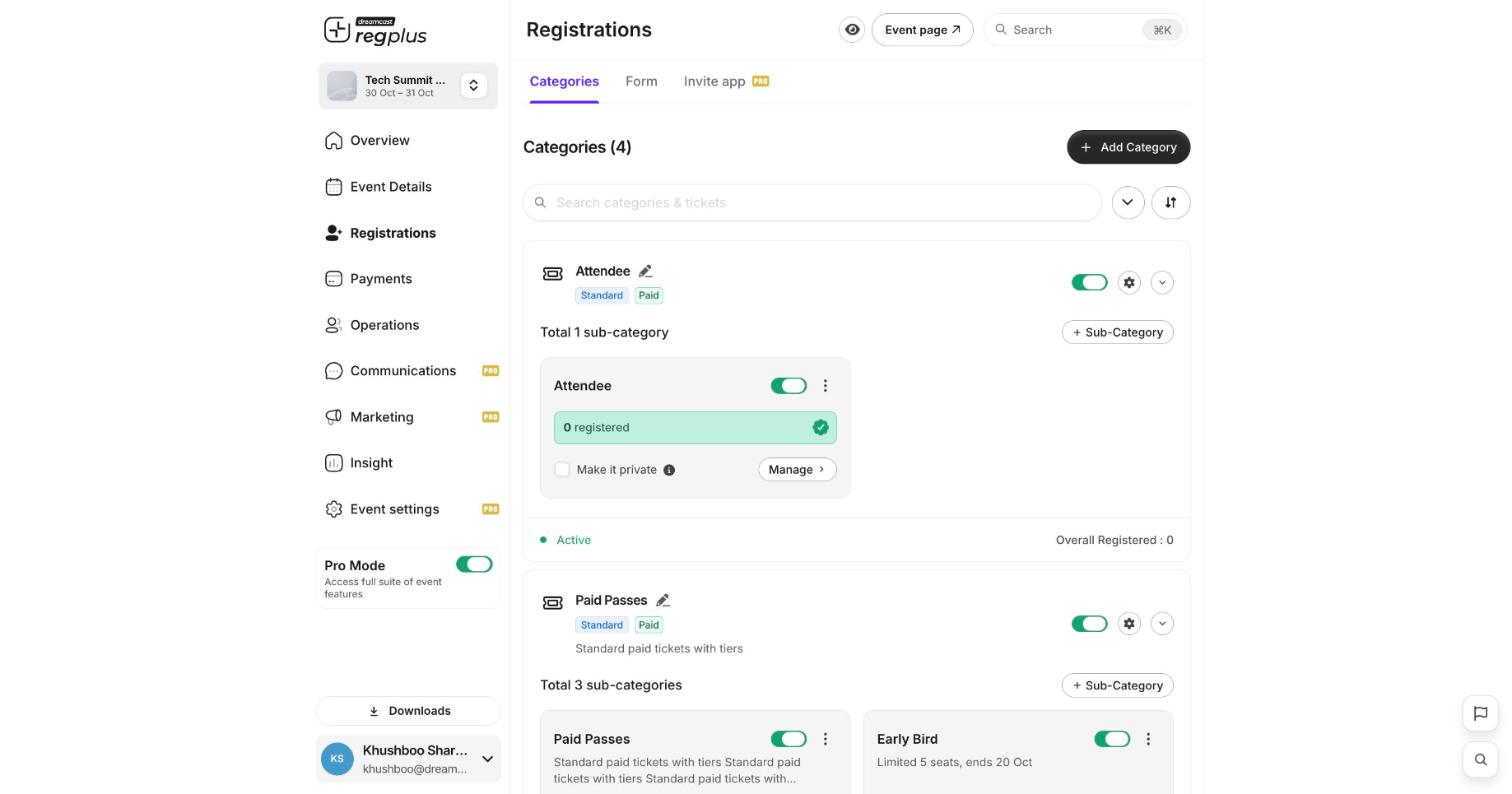
- A category (e.g. Attendee, Paid Passes) is the top-level group, tagged Standard or Paid.
- Each category holds one or more ticket types (sub-categories), each with its own Manage controls and registered count.
- Use the toggle to turn a category or ticket type on/off, the gear for its settings, and + Sub-Category to add another ticket type.
Step 1 — Add a category
1
New category
Click Add Category.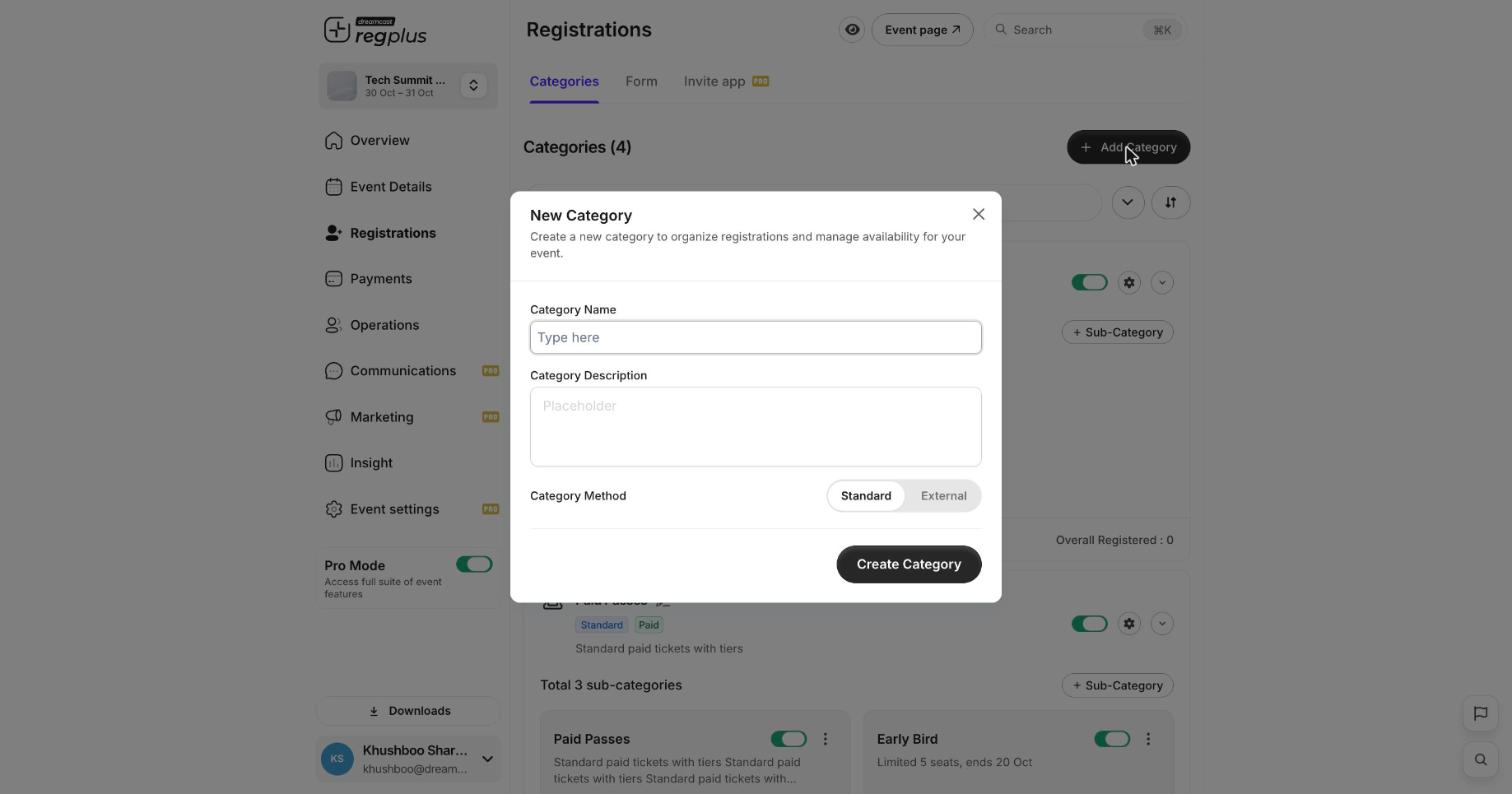
2
Name it and pick a method
Give it a name and optional description, then choose the Category Method:
- Standard — people book this on Reg Plus.
- External — sends people to another website to book (see Send guests to an external page).
3
Create
Click Create Category. Then add ticket types inside it with + Sub-Category.
Step 2 — Set up a ticket type
Click Manage on a ticket type to open its Setup tab.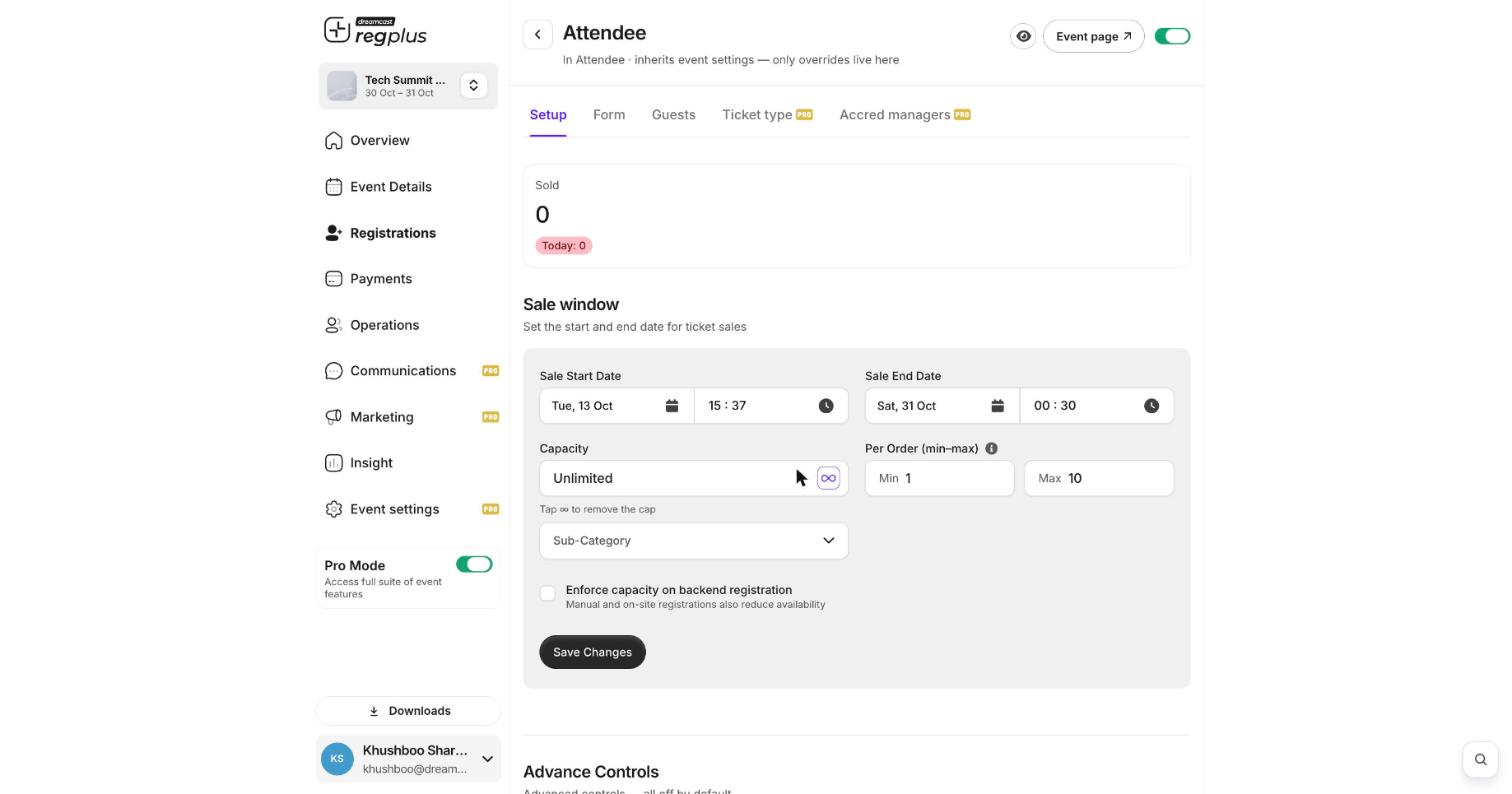
Click Save Changes. The Manage view also has Form, Guests, Ticket type and Accred managers tabs for that ticket type.
Step 3 — Price it, or make it private
- Pricing — set a ticket free, or switch on Paid and enter a price (paid tickets need a payment gateway — see Configure payments & taxes).
- Make it private — tick this on a ticket type to hide it from your public page; only people with its private link can book it (see Make an event invite-only).
FAQ
What's the difference between a category and a ticket type?
What's the difference between a category and a ticket type?
A category is the group (like Delegate); a ticket type (sub-category) is the specific option inside it (like Early Bird or Regular) with its own price and sale window.
How do I run early-bird pricing?
How do I run early-bird pricing?
Add two ticket types: an early-bird with a sale window that ends on a date, and a regular one whose window opens after. Buyers automatically see whichever is on sale.
My cap isn't holding when I add guests manually
My cap isn't holding when I add guests manually
Turn on Enforce capacity on backend registration in the ticket type’s Setup. Otherwise manual and on-site registrations don’t count against the cap.
What’s next?
Build your registration form
Decide what you ask each guest.
Create discount codes
Offer money off selected ticket types.