
In short
The Marketing module is where you drive registrations and prove what is working: tracked campaign links, ad pixels, Google Analytics, a ready-made LinkedIn share card, embeds for your own website, and self-service badge downloads. This guide covers all four tabs.Where to find it: Open Marketing from the left menu. This is a Pro feature. The four tabs across the top are Campaign tracking, Social sharing, Embed event and Download M-Badge.
Campaign tracking
This tab has three tools, stacked top to bottom: UTM links, ad pixels and Google Analytics.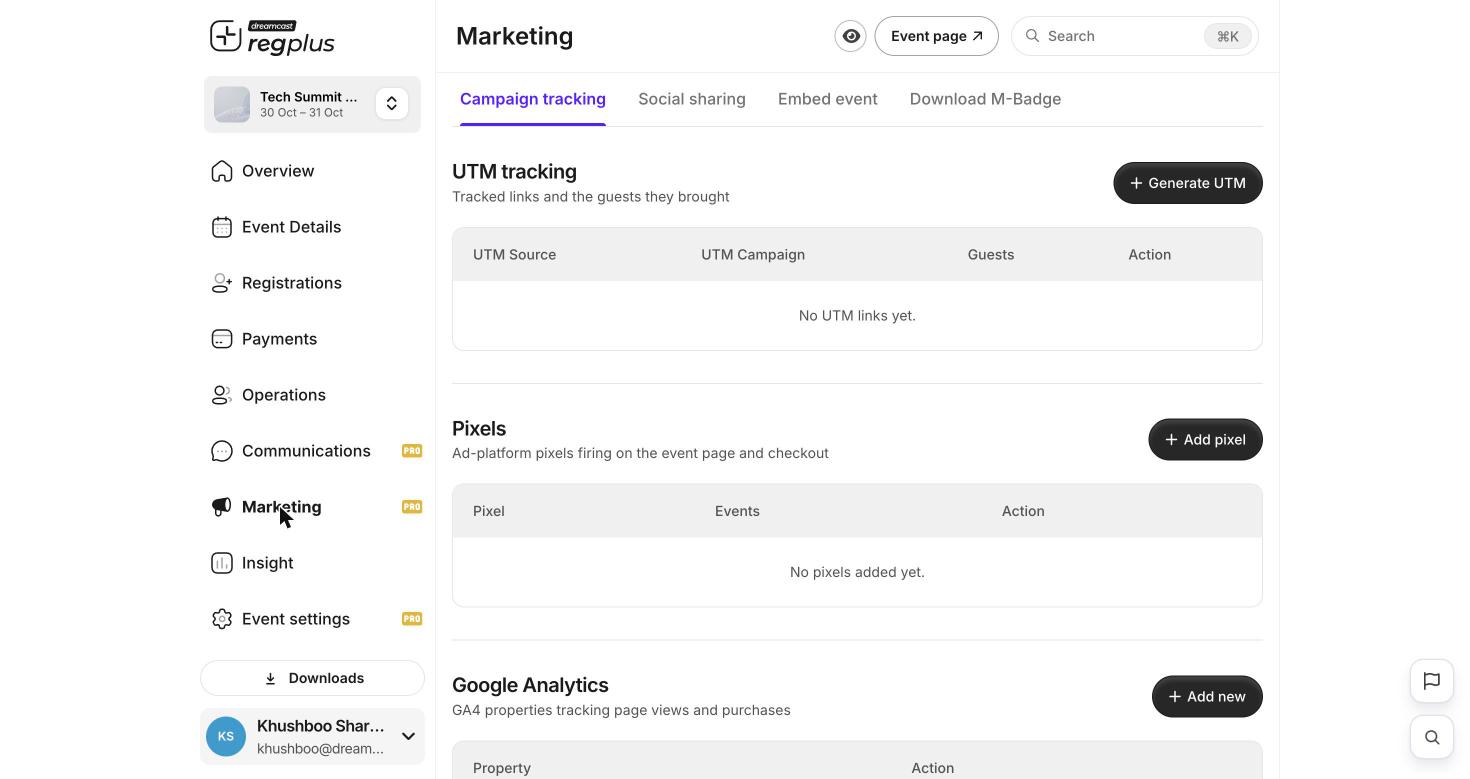
Campaign tracking: UTM links, pixels and GA4 in one place.
UTM tracking — see which campaigns bring guests
A UTM link is your event link with tags on the end, so you can tell which email, ad or post a registration came from. Click Generate UTM and fill in the tags.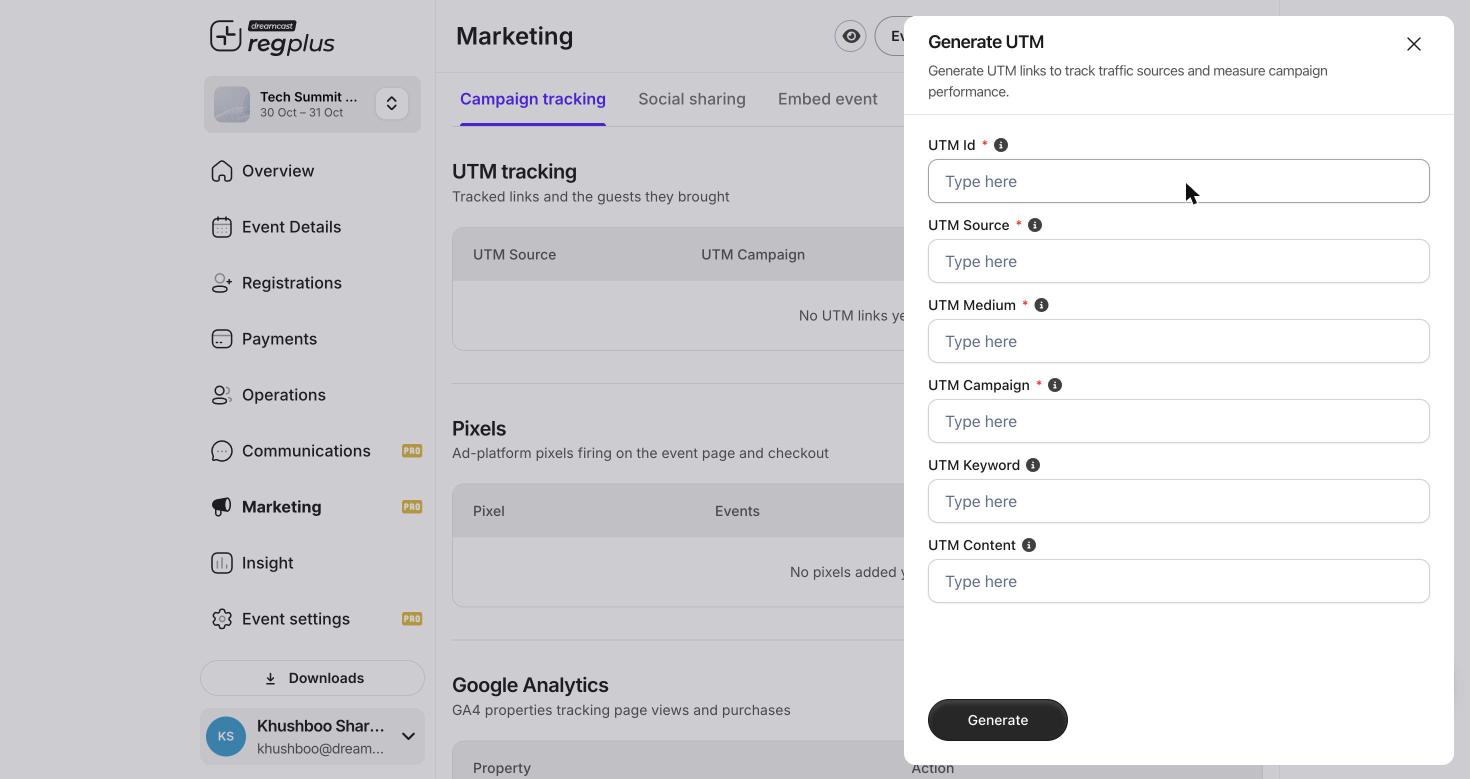
The Generate UTM form.
The UTM tracking table then shows each link and the guests it brought, so you can see which source is actually converting.
Pixels — track conversions for your ads
Add an ad-platform pixel so your ad account can see page views and registrations and optimise your spend. Click Add pixel.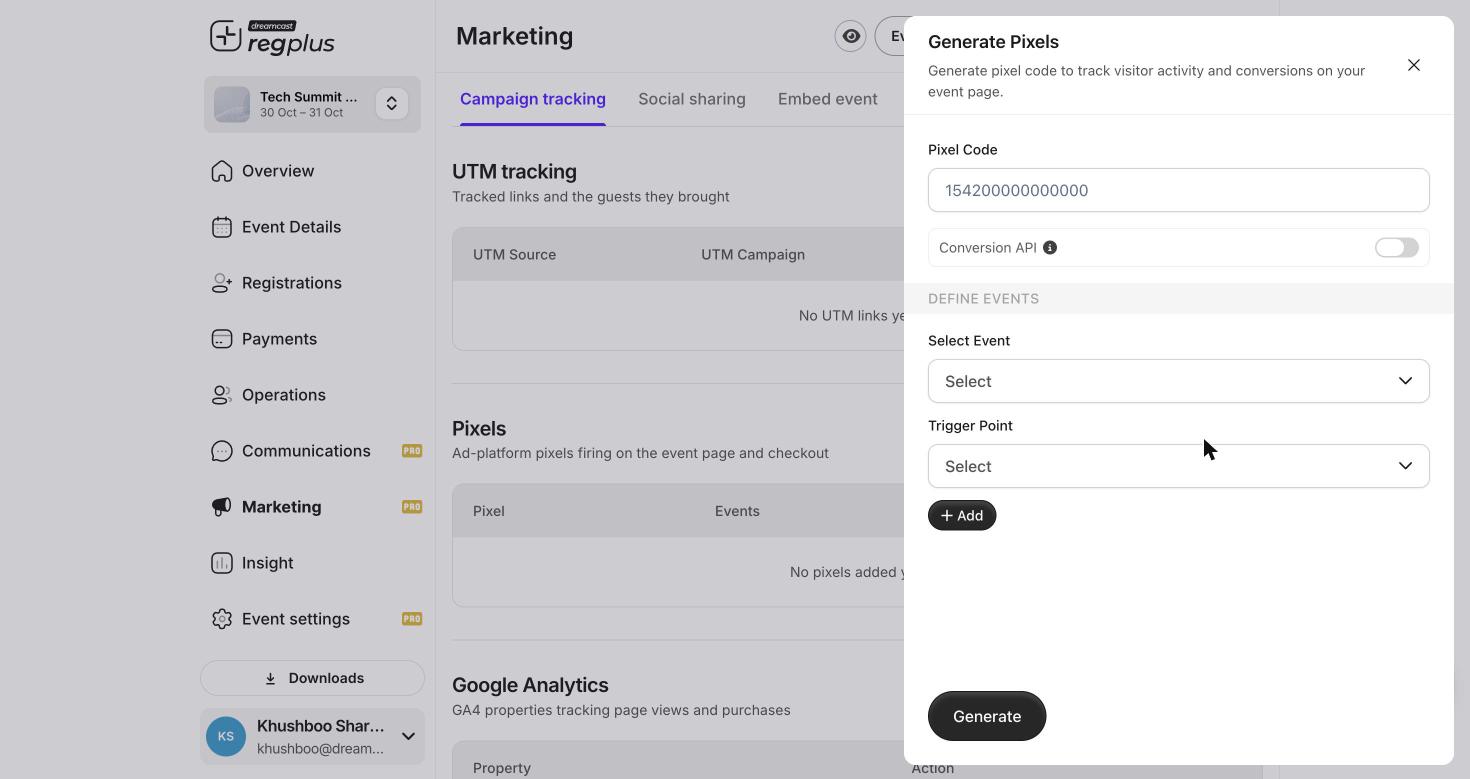
The Generate Pixels form — pixel code, Conversion API, and the events to track.
Use Add to map more than one event (for example
PageView on the event page and Purchase at checkout), then Generate.
Google Analytics
Under Google Analytics, click Add new to connect a GA4 property. Once linked, GA4 records page views and purchases from your event page alongside the rest of your site analytics.Social sharing
Turn on a LinkedIn share card so that, right after a guest registers, they can post an “I’m attending” card to LinkedIn — free promotion from your own attendees.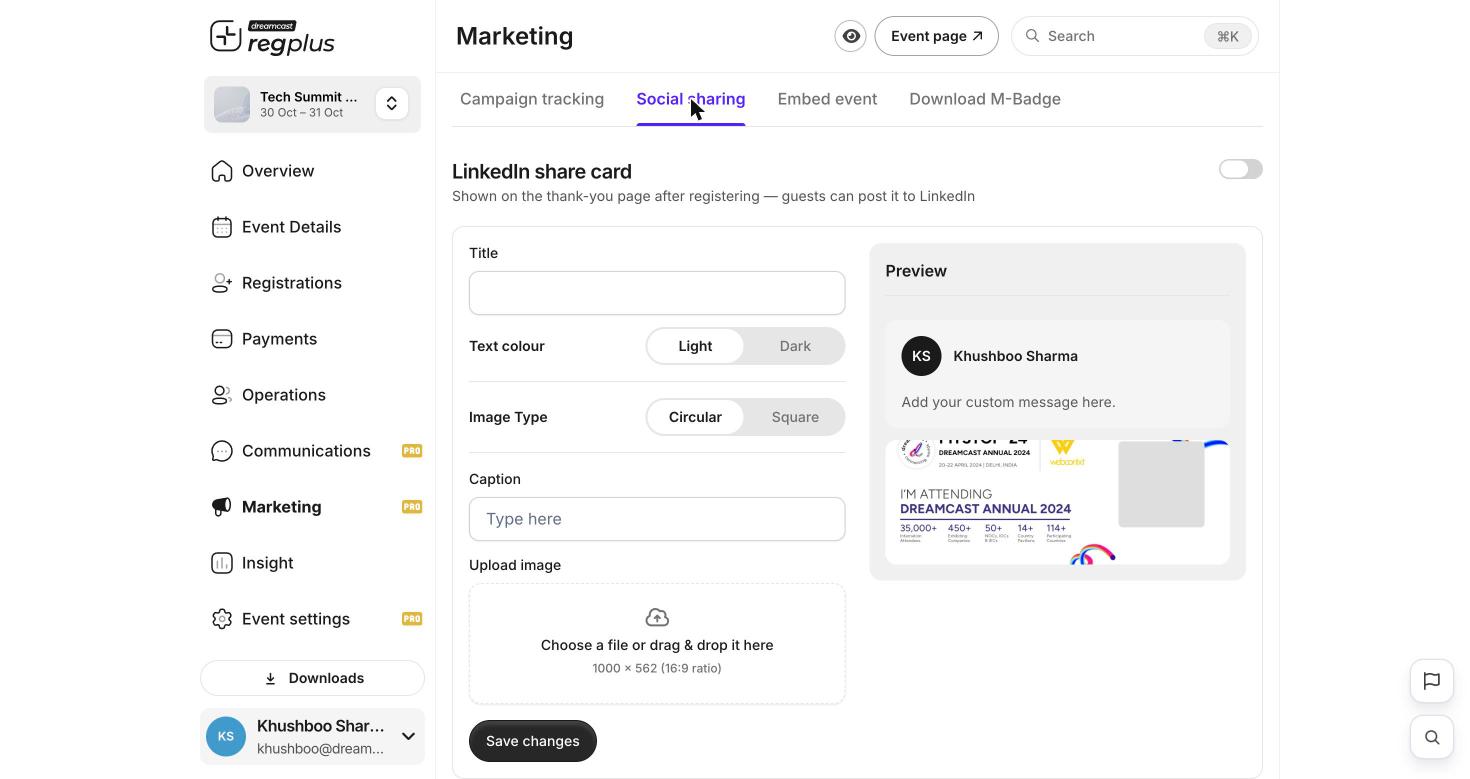
The LinkedIn share card, with a live preview of the post.
The Preview on the right shows exactly how the post will look before you save.
Embed event
Put your registration flow directly on your own website, so visitors never have to leave it.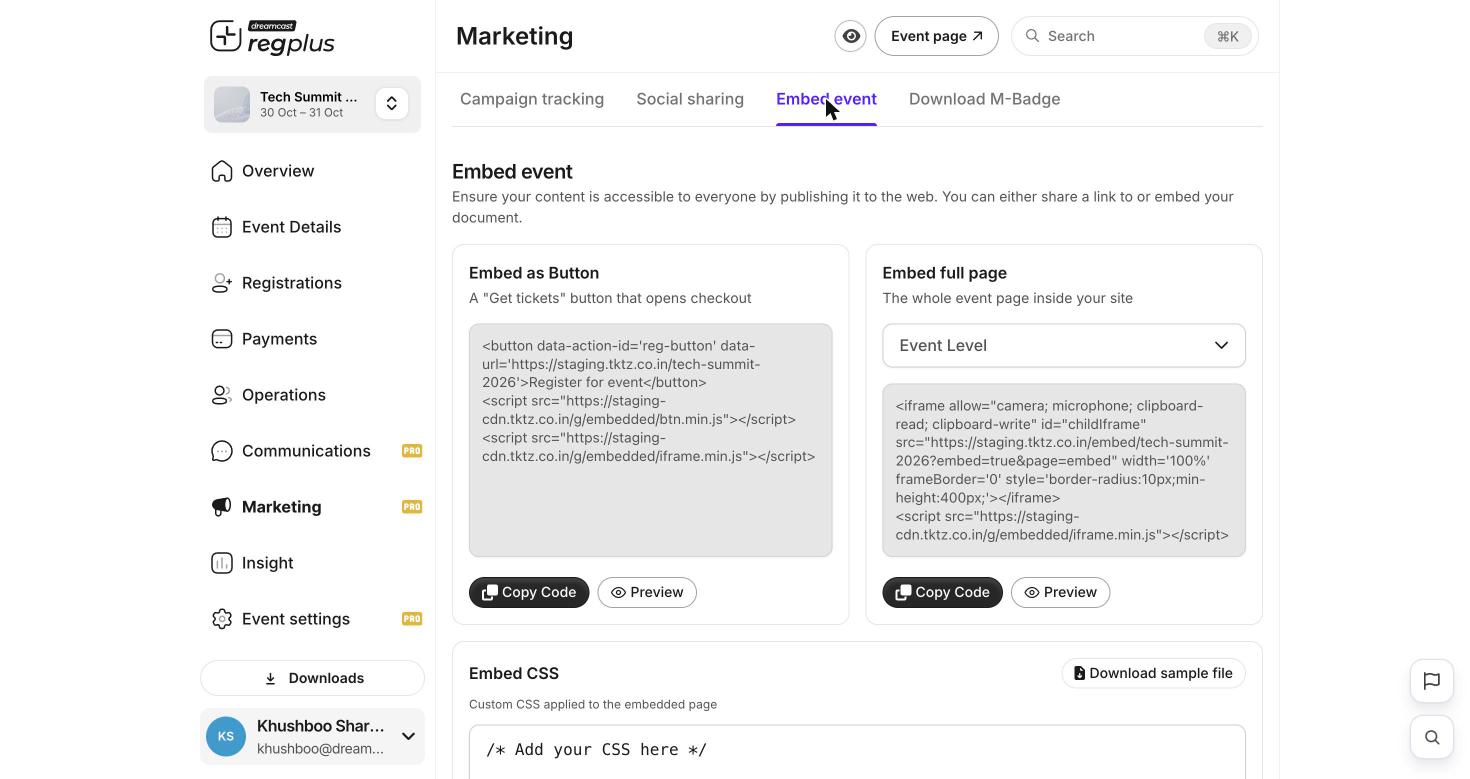
Three ways to embed: a button, the full page, and custom CSS.
Each block has Copy Code and Preview — copy the snippet and paste it into your site’s HTML.
Download M-Badge
Let attendees fetch their own mobile badge instead of you emailing each one.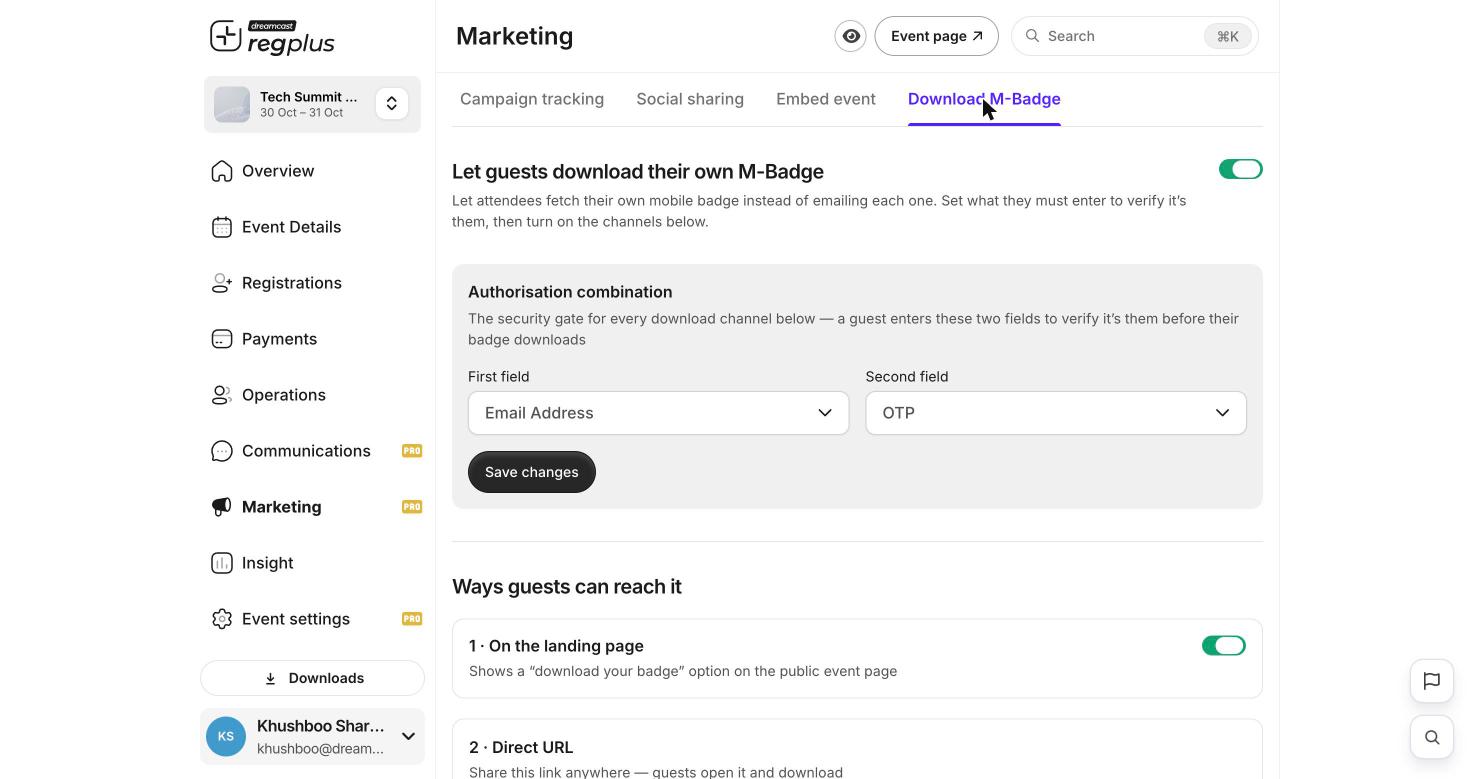
Self-service badge download with a verification gate and delivery channels.
- Turn on Let guests download their own M-Badge.
- Set the Authorisation combination — the two things a guest must enter to prove it is them before the badge downloads. For example First field = Email Address and Second field = OTP.
- Turn on the channels guests can use to reach it — for example a “download your badge” option on the landing page, or a direct URL you can share anywhere.
FAQs & troubleshooting
My ad platform is undercounting registrations.
My ad platform is undercounting registrations.
Turn on Conversion API on the pixel and make sure the Purchase event is mapped to checkout. Browser-only pixels miss conversions when ad-blockers or privacy settings are active.
How do I know which campaign is working?
How do I know which campaign is working?
Create a separate UTM link for each campaign and channel. The UTM tracking table shows the guests each link brought, so you can compare them directly.
Can I put the registration form on my own website?
Can I put the registration form on my own website?
Yes. Use the Embed event tab — the button embed for a “Get tickets” overlay, or the full-page embed to show the whole event page inside your site.
A guest says the badge link asks for a code they don't have.
A guest says the badge link asks for a code they don't have.
That is the Authorisation combination. Check which two fields you set (for example Email + OTP) and make sure the guest uses the same email they registered with.
What’s next?
Read your Insight reports
See traffic sources and conversions in the Marketing & Traffic report.
Set up emails & WhatsApp
Pair tracked links with reminders and nudges.