
In short
Two features let you control capacity by time and by space: Slots break the event into bookable time blocks (sessions, staggered entry, appointments), and Zone Seat Integration turns on a seat map so guests choose a specific seat. Both live on the Event Details screen.Where to find them: Open Event Details. Slots configuration sits in the When & Where block; Zone Seat Integration is in the right-hand panel.
Time slots
Slots are useful when you don’t want everyone arriving at once — timed entry, workshop sessions, or appointment-style bookings. Turn on Slots configuration in the When & Where block to open the panel.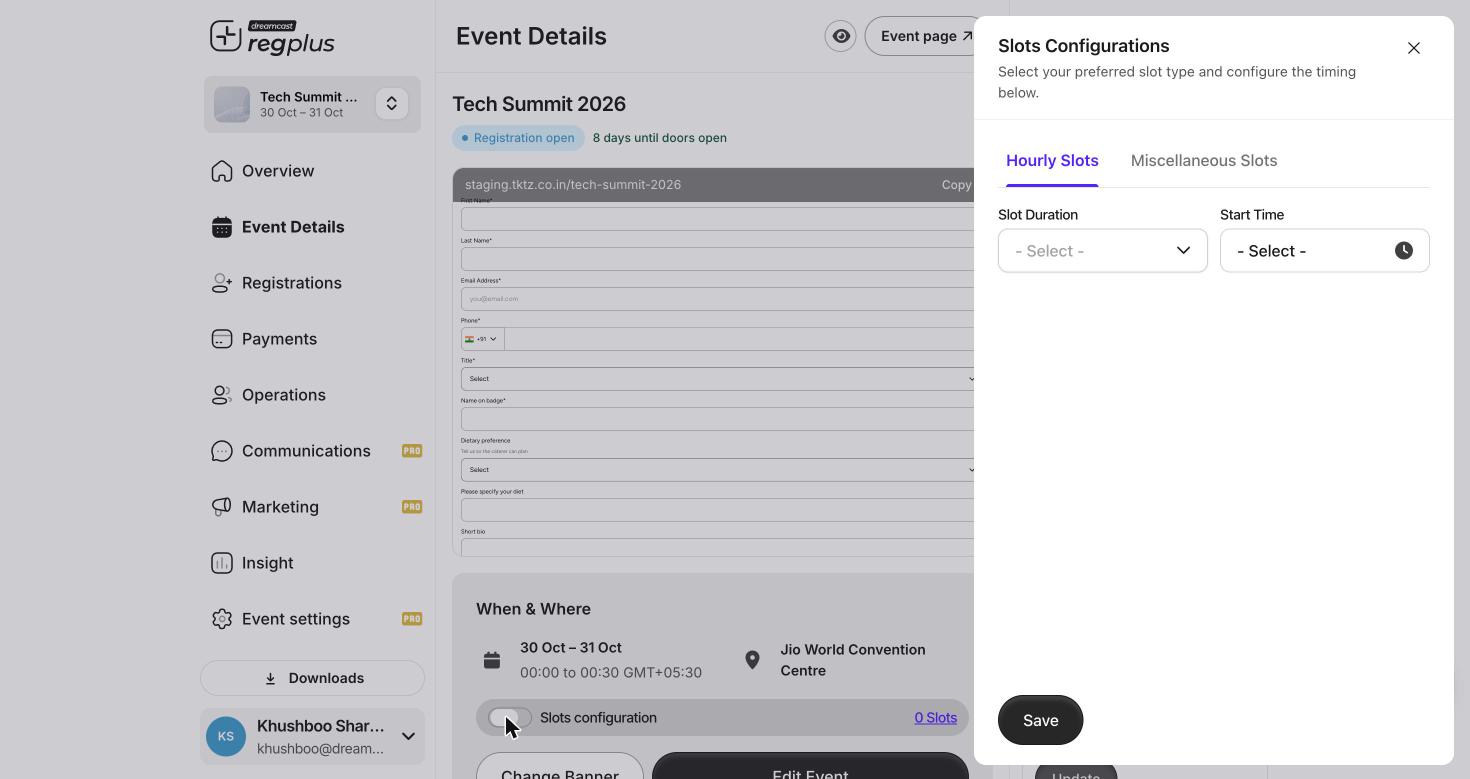
Slots Configuration — hourly or custom time blocks.
Save the configuration, and the When & Where block shows how many slots exist (for example 0 Slots becomes your real count).
Once slots exist, each ticket type decides how it uses them on its Ticket type tab (Event Pass / Single Day / Multi Day). See Advanced ticket controls.
Reserved seating
For seated venues, Zone Seat Integration turns on a seat map so guests pick an actual seat when they register.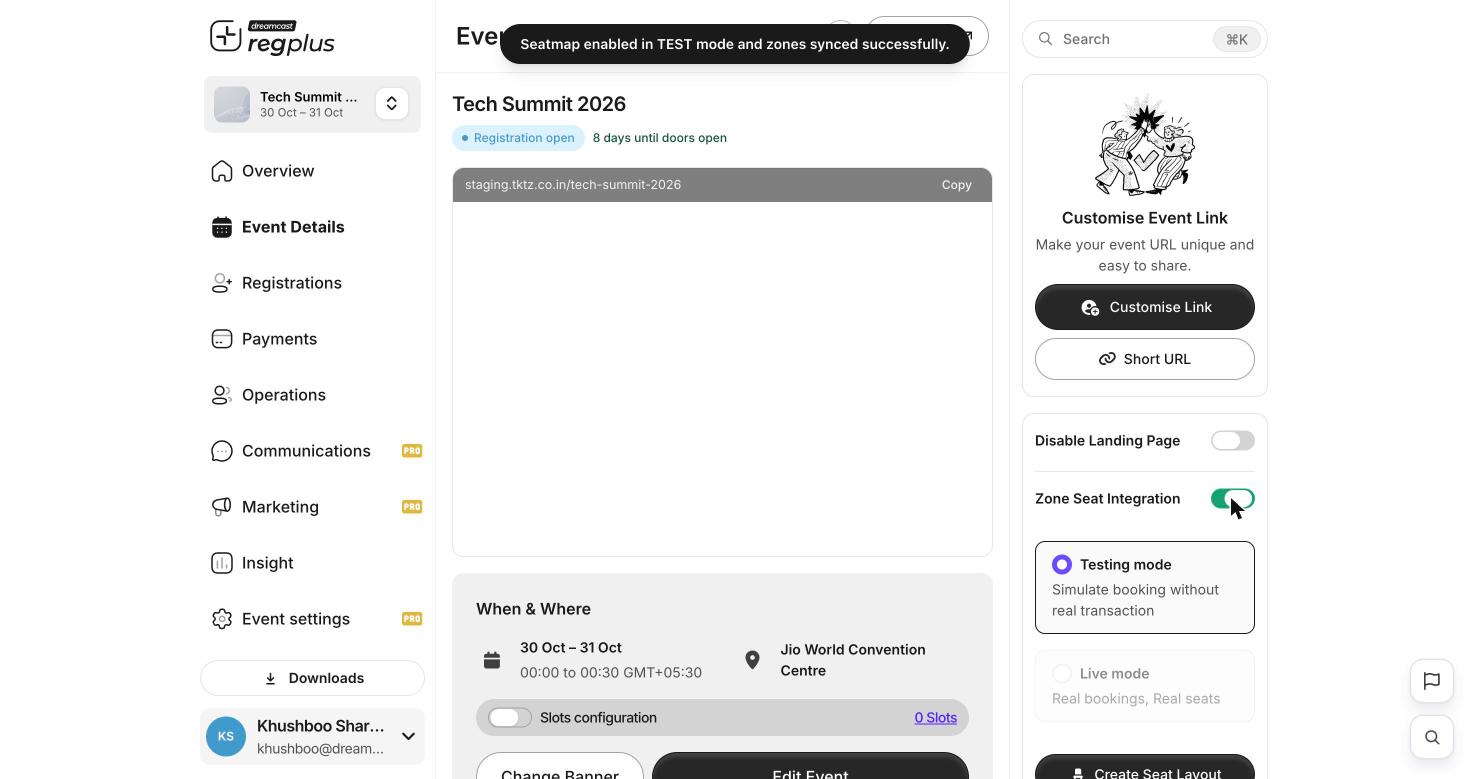
Zone Seat Integration — test or live mode, then build the layout.
FAQs & troubleshooting
I want timed entry so the venue doesn't crowd at the start.
I want timed entry so the venue doesn't crowd at the start.
Turn on Slots configuration and use Hourly Slots to create entry blocks. Guests pick a slot when they register.
My slots aren't a neat hourly pattern.
My slots aren't a neat hourly pattern.
Use Miscellaneous Slots to define each custom block yourself.
How do I test seating without taking real bookings?
How do I test seating without taking real bookings?
Enable Zone Seat Integration and keep it in Testing mode — bookings are simulated with no real transaction. Switch to Live mode only when ready.
Where do guests pick their seat?
Where do guests pick their seat?
Once the seat layout is live, the seat map appears in the registration flow so guests choose their seat before checkout.
What’s next?
Advanced ticket & accreditation
Map each ticket to your slots and set day admission.
Set up your event page
Where dates, venue and layout come together.