
In short
Before you can build an event you need a host account. This guide covers creating one, signing in, choosing which organisation to work in, and signing out.Create your account (sign up)
Go to the regplus host site and sign up with your work email. You’ll set a password and verify your email (or confirm with a one-time code), and you’re ready to create your first organisation and event.Sign in
Returning hosts sign in with the email and password (or one-time code) set at sign-up.Choose your organisation
If your login has access to more than one organisation — or you hold an event-specific role — you’ll be asked which one to work in right after signing in.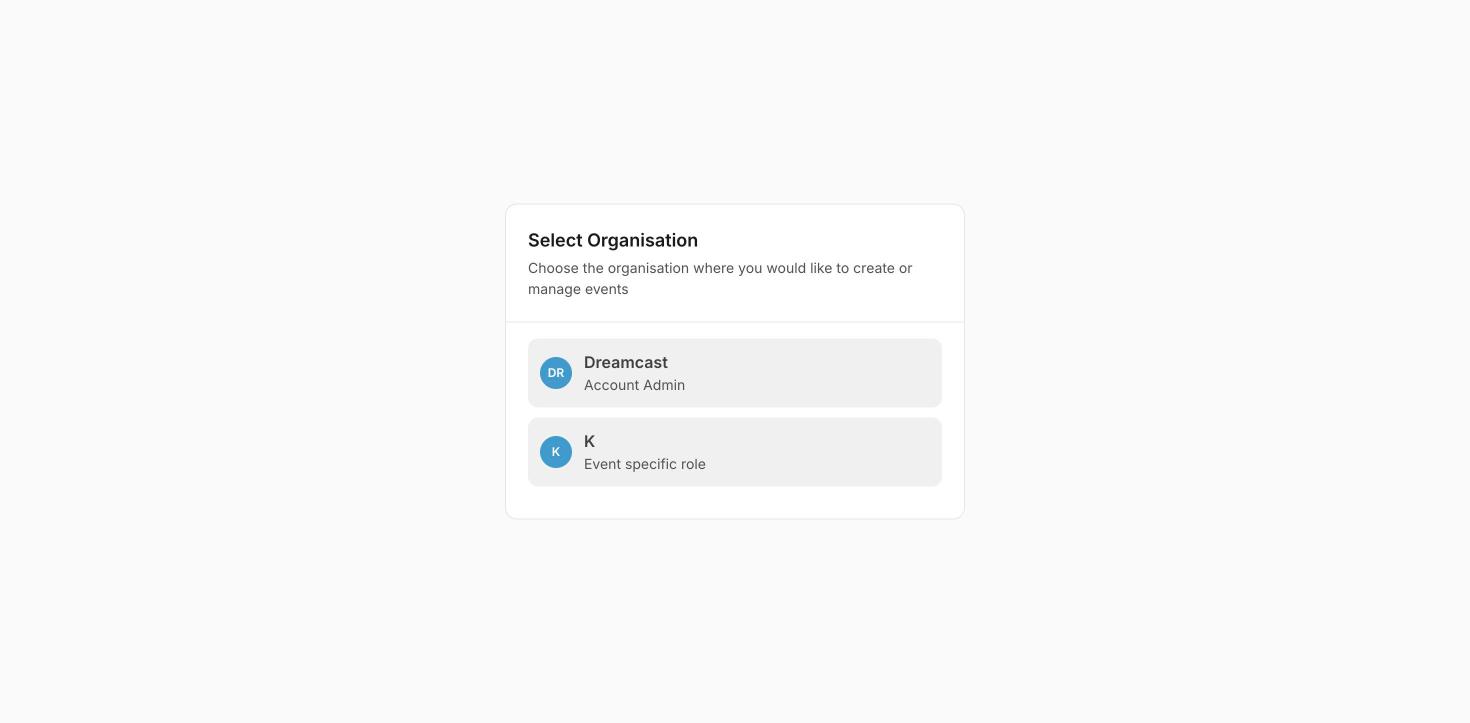
Choose which organisation (and role) to work in after signing in.
Pick the one you want, and you land on its dashboard.
Switch organisation without signing out
You don’t need to sign out to move between organisations. Click your name at the bottom-left, and use Switch Profile to jump to another organisation under the same login. See Account & organisation.Sign out
To sign out, click your name at the bottom-left to open the account menu, then Logout. This ends your session on that device — always do it on a shared or public computer.FAQs & troubleshooting
I signed in but landed on a 'Select Organisation' screen.
I signed in but landed on a 'Select Organisation' screen.
That’s normal when your login has more than one organisation or an event-specific role. Pick the one you want to work in and continue.
I only see one event, not the whole organisation.
I only see one event, not the whole organisation.
You’re probably signed in under an event-specific role. Use Switch Profile to change to an organisation where you’re an Account Admin, if you have one.
What’s next?
Account & organisation
Set up your profile, organisation and branding.
Find your way around the dashboard
Get oriented once you’re in.