
In short
Not every event sells tickets. When you just need to know who’s coming — an invite-only dinner, a community meetup, a webinar — run it as a Registrations event. Guests RSVP or sign up instead of buying a pass, and you track their responses in one place.Where to set it: Open Event Details → Edit Event → General, and choose the Event Type.
Ticketing vs Registrations
The Event Type is the single switch that decides how your event behaves.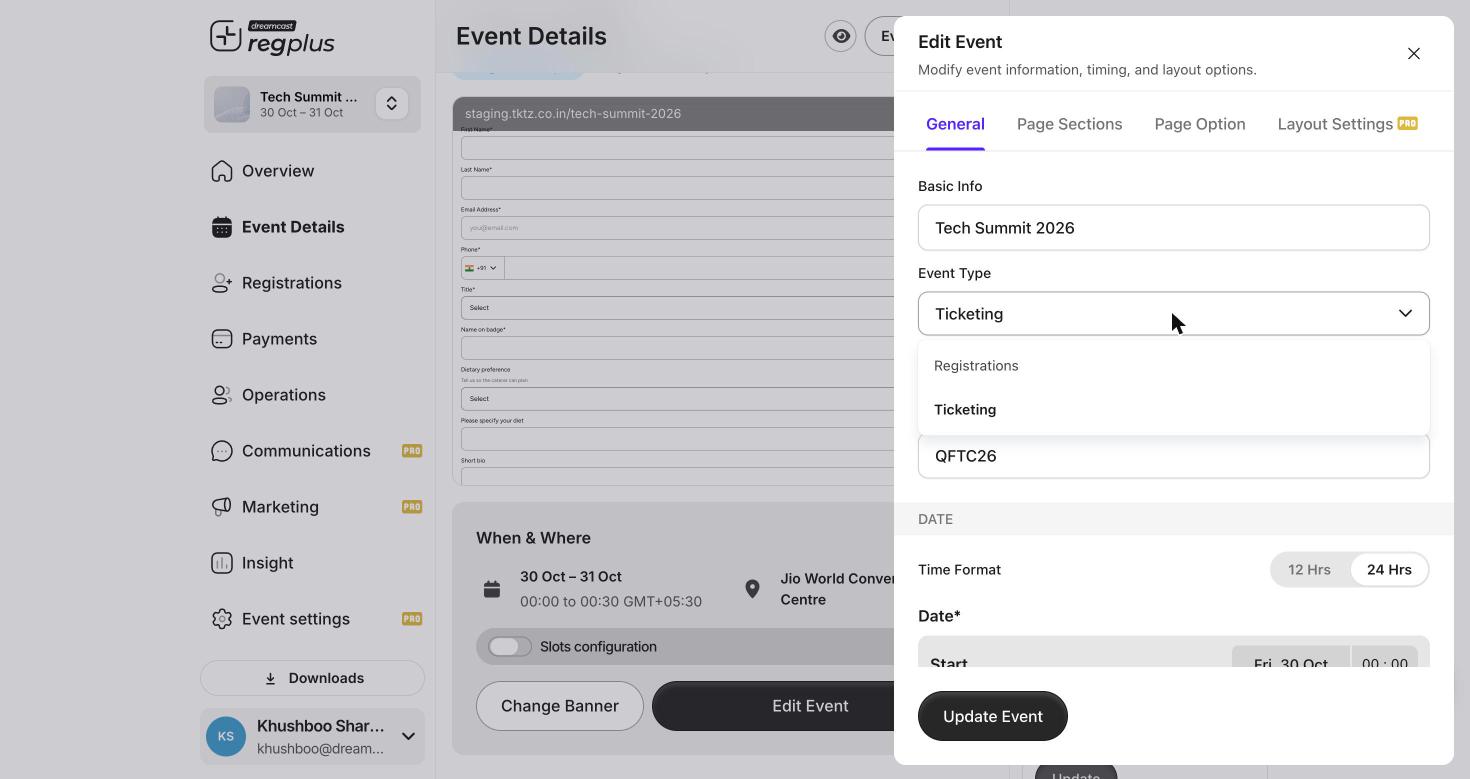
Event Type — Ticketing for passes, Registrations for RSVPs.
Set up an RSVP event
- Choose Registrations as the Event Type (above).
- Build your form the same way as any event — keep it short for RSVPs (name, email, maybe one or two questions). See Build the form.
- Invite your guests. Send them the Guest RSVP Invitation email (from Communications), or add them through the Invite app or a ticket type’s Invite action.
- Track responses. As guests reply, their status updates in the Guests list — Invited, Not Going, and confirmed — so you always know your headcount. See Manage your guest list.
FAQs & troubleshooting
What's the difference between an RSVP and a free ticket?
What's the difference between an RSVP and a free ticket?
A free ticket still runs through the ticketing flow (pick a pass, check out at zero cost). An RSVP is a simple yes/no sign-up with no pass or checkout — lighter for guests, and the right fit for invite-led events.
Can I see who said they're not coming?
Can I see who said they're not coming?
Yes — the Guests list shows a Not Going status alongside Invited and confirmed, so you can read the full picture.
How do guests RSVP?
How do guests RSVP?
Send the Guest RSVP Invitation email. Guests open it and confirm — no account or payment needed.
I already built a ticketing event. Can I turn it into an RSVP one?
I already built a ticketing event. Can I turn it into an RSVP one?
It’s best not to switch once there’s data, because the two modes work differently. Create a fresh event as Registrations instead.
What’s next?
Set up the Invite app
Hand out RSVP invites through your team.
Manage your guest list
Track who’s coming and who’s not.