
In short
Every ticket type has two advanced tabs beyond the basics: Ticket type (which days it admits and its online vs on-spot price) and Accred managers (a dashboard for verifying and approving guests before they are confirmed). Both are Pro.Where to find them: Open Registrations, click Manage on a ticket type, and use the Ticket type and Accred managers tabs.
Ticket type — days and dual pricing
This tab controls which days the ticket admits and sets two prices — one for online buyers and one for people who pay at the venue.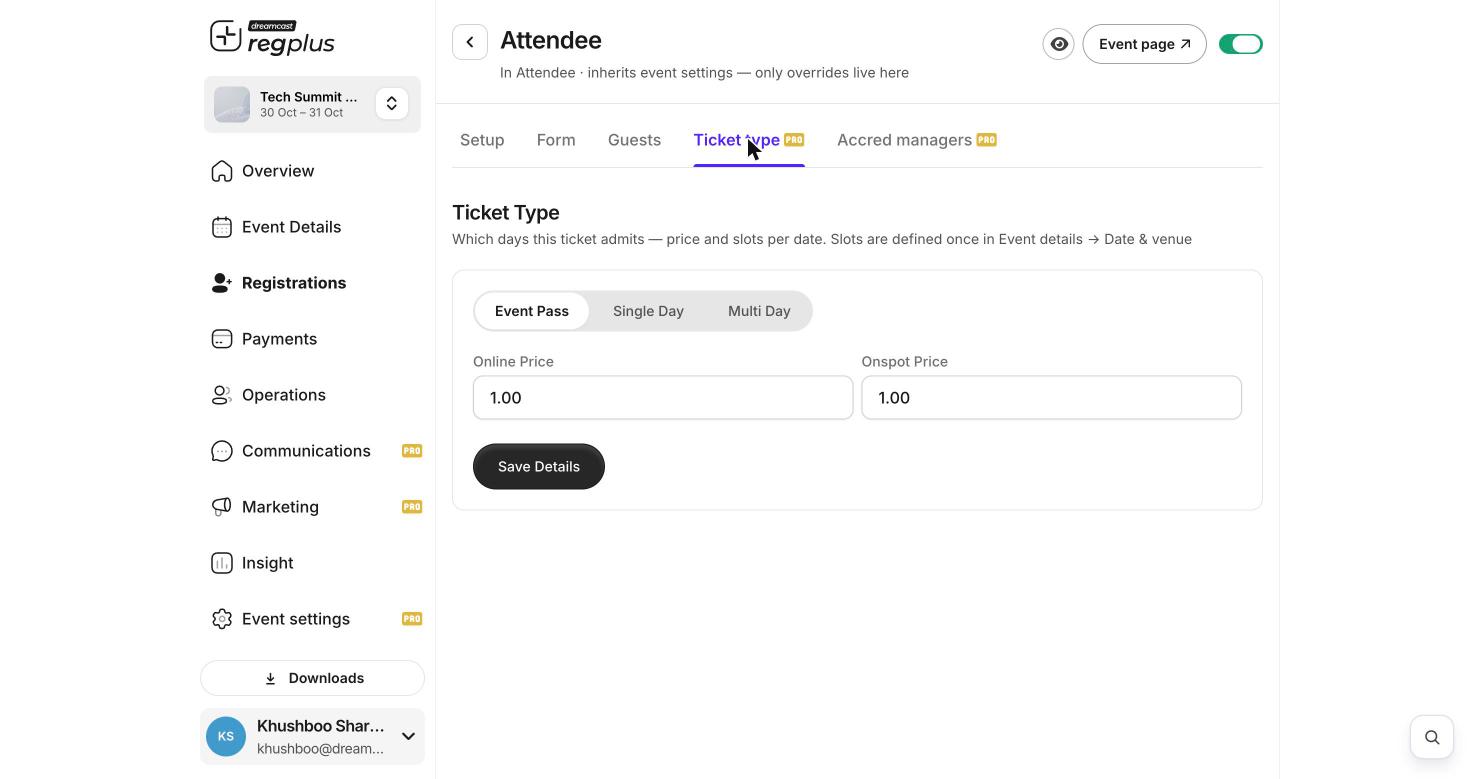
The Ticket type tab — admission type and online vs on-spot price.
The days a ticket can admit come from the slots you set once in Event Details → Date & venue. Set those up first, then choose how this ticket maps to them here.
Accred managers — verify and approve guests
For events where registrations must be checked before they are confirmed (accreditation), the Accred managers tab is your control panel for that ticket type.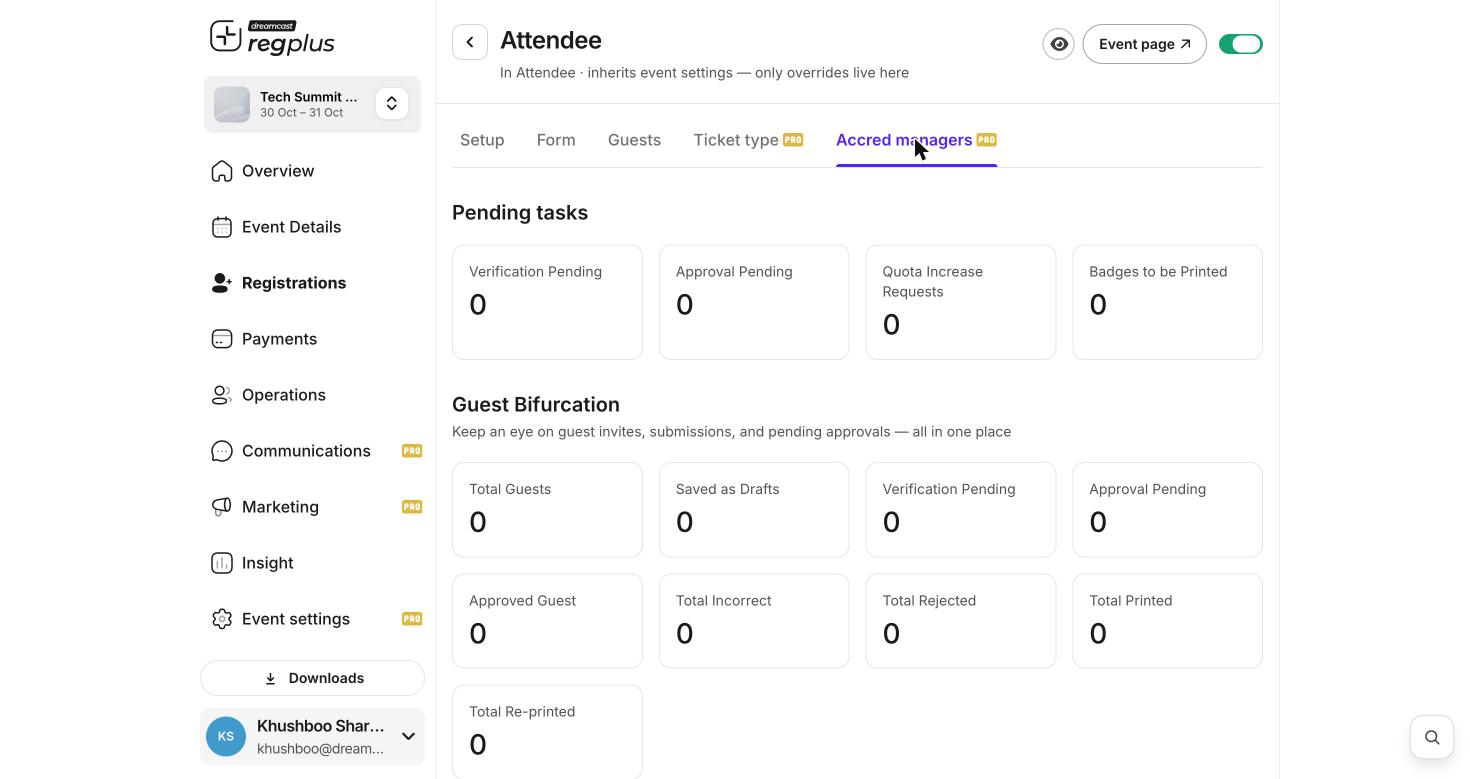
The Accred managers dashboard — pending tasks and a full status breakdown.
Guest Bifurcation is the full status breakdown for the ticket type — Total Guests, Saved as Drafts, Verification Pending, Approval Pending, Approved Guest, Total Incorrect, Total Rejected, Total Printed and Total Re-printed — so you can see the whole accreditation pipeline in one place.
FAQs & troubleshooting
Why would I charge a different price on-spot?
Why would I charge a different price on-spot?
Onspot Price lets you reward early online booking with a lower price and charge walk-ups more at the door — a common way to push pre-registration.
A ticket should only be valid on day one. How?
A ticket should only be valid on day one. How?
On the Ticket type tab, choose Single Day (or Multi Day for a chosen set). Make sure your event’s days are set in Event Details → Date & venue first.
Guests are confirmed before I can check them.
Guests are confirmed before I can check them.
Those registrations aren’t going through approval. Use an approval-based flow so they land in Approval Pending on the Accred managers tab for you to review.
What is 'Badges to be Printed'?
What is 'Badges to be Printed'?
Approved guests whose badge hasn’t been printed yet. Clear them by printing from your badge/on-ground tools.
What’s next?
Build ticket types
The basics of categories, pricing and limits.
Design badges
Set up the badges printed for approved guests.