
Where to find it: Open Payments → Configurations and scroll to Taxes & Billing.
Let attendees request a tax invoice
If you want buyers to be able to ask for a tax invoice during checkout, turn on the tax invoice option for attendees. When it’s on, a request-tax-invoice field appears at checkout; when it’s off, attendees simply get the standard confirmation. Turn it on when you sell to businesses who need an invoice for their records.Set up your invoice or receipt
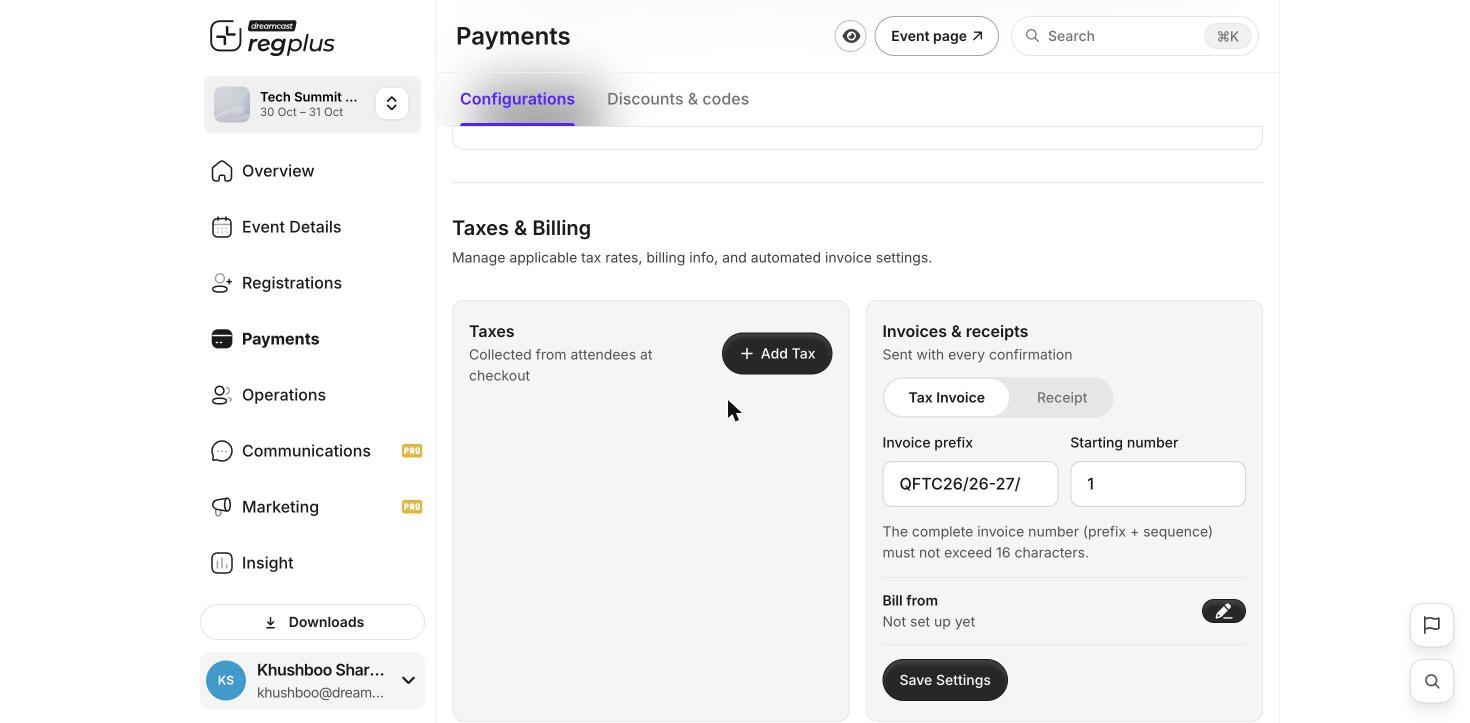
Taxes, invoice numbering and your billing identity.
- Tax Invoice — for events where you charge tax and buyers need it for compliance.
- Receipt — a simple proof of payment when no tax breakdown is needed.
The complete number (prefix + sequence) must stay within 16 characters.
Add a tax
If your invoice needs to show tax, click Add Tax in the Taxes card.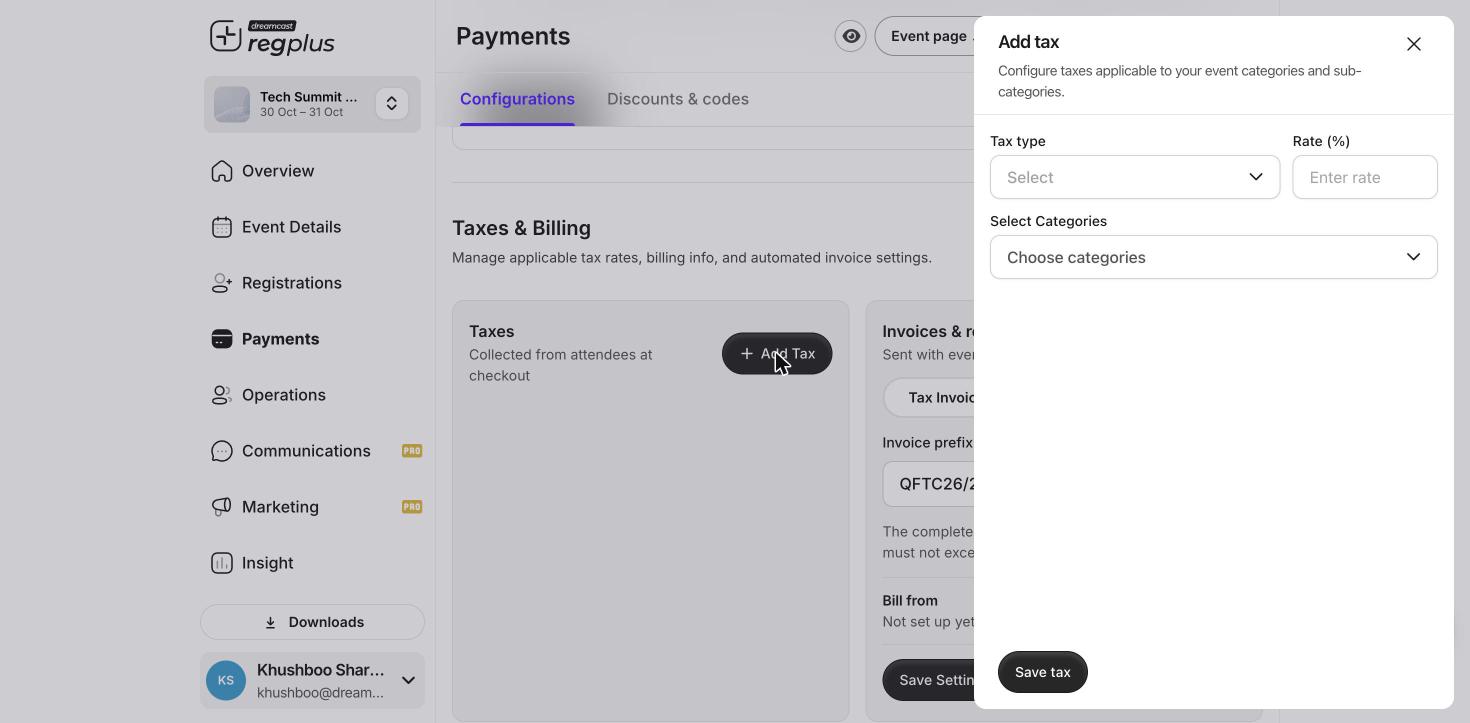
Add a tax rate and choose which ticket types it applies to.
Enter your billing identity (Bill from)
Under Bill from, click the pencil to open Billing identity and enter the business details that appear on every invoice.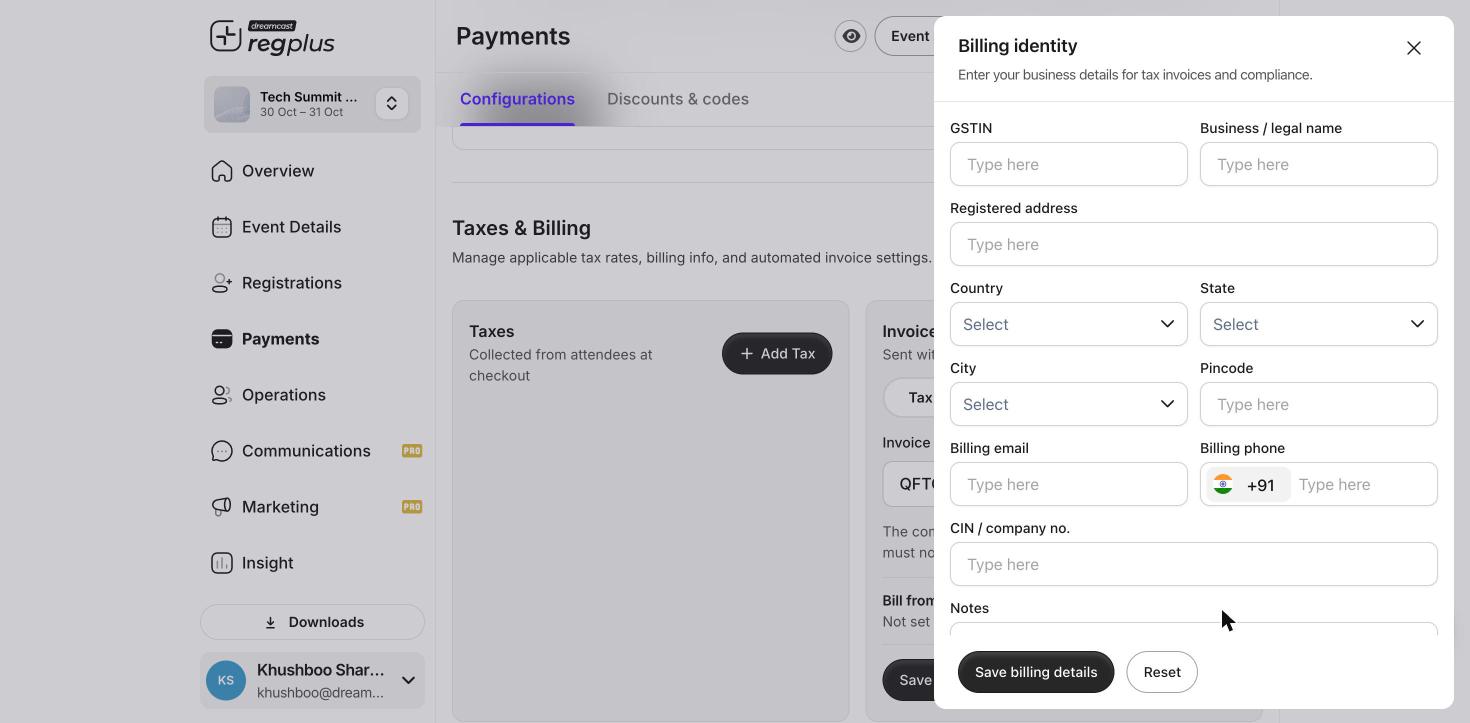
Your business details for tax invoices and compliance.
Click Save billing details, then Save Settings to apply everything.
Tax invoice vs receipt — what’s the difference?
Choose a tax invoice when attendees need the tax detail for their records, and a receipt when a simple proof of payment is enough.
FAQs
Can attendees get an invoice after they've booked?
Can attendees get an invoice after they've booked?
Yes — the invoice or receipt goes out with the booking confirmation. If you turned on the request option, buyers can also ask for a tax invoice at checkout.
My GSTIN isn't filling in the company details
My GSTIN isn't filling in the company details
Check the GSTIN is typed correctly and active on the GST portal. regplus validates it live, so an inactive or mistyped number won’t fetch the details.
The invoice number was rejected
The invoice number was rejected
The prefix + starting number together must be 16 characters or fewer. Shorten your prefix if the full number is too long.
What’s next?
Configure payments & taxes
Gateways, fees, taxes and checkout text in one place.
Read your financial report
Track orders and revenue.